Introduction: The Arcade in Your Search Bar
In the fast-paced world of digital technology, we often look for complex, high-fidelity gaming experiences. We buy expensive consoles, upgrade our graphics cards, and download massive files. But sometimes, the most satisfying gaming experience is hidden right under our noses—or rather, inside our search bars.
Welcome to the world of Google Block Breaker, a phenomenon that combines 1970s nostalgia with modern browser convenience. Whether you know it as “Atari Breakout,” “Brick Breaker,” or simply that “colorful block game on Google,” this hidden gem has wasted millions of hours of productivity worldwide—in the best way possible.
In this extensive guide, we will dive deep into everything you need to know about Google Block Breaker. From how to launch it in 2026 to expert strategies for hitting a high score, and even the fascinating history involving Apple founders Steve Jobs and Steve Wozniak. If you are looking for a quick escape from your spreadsheet or homework, you have come to the right place.
What is Google Block Breaker?
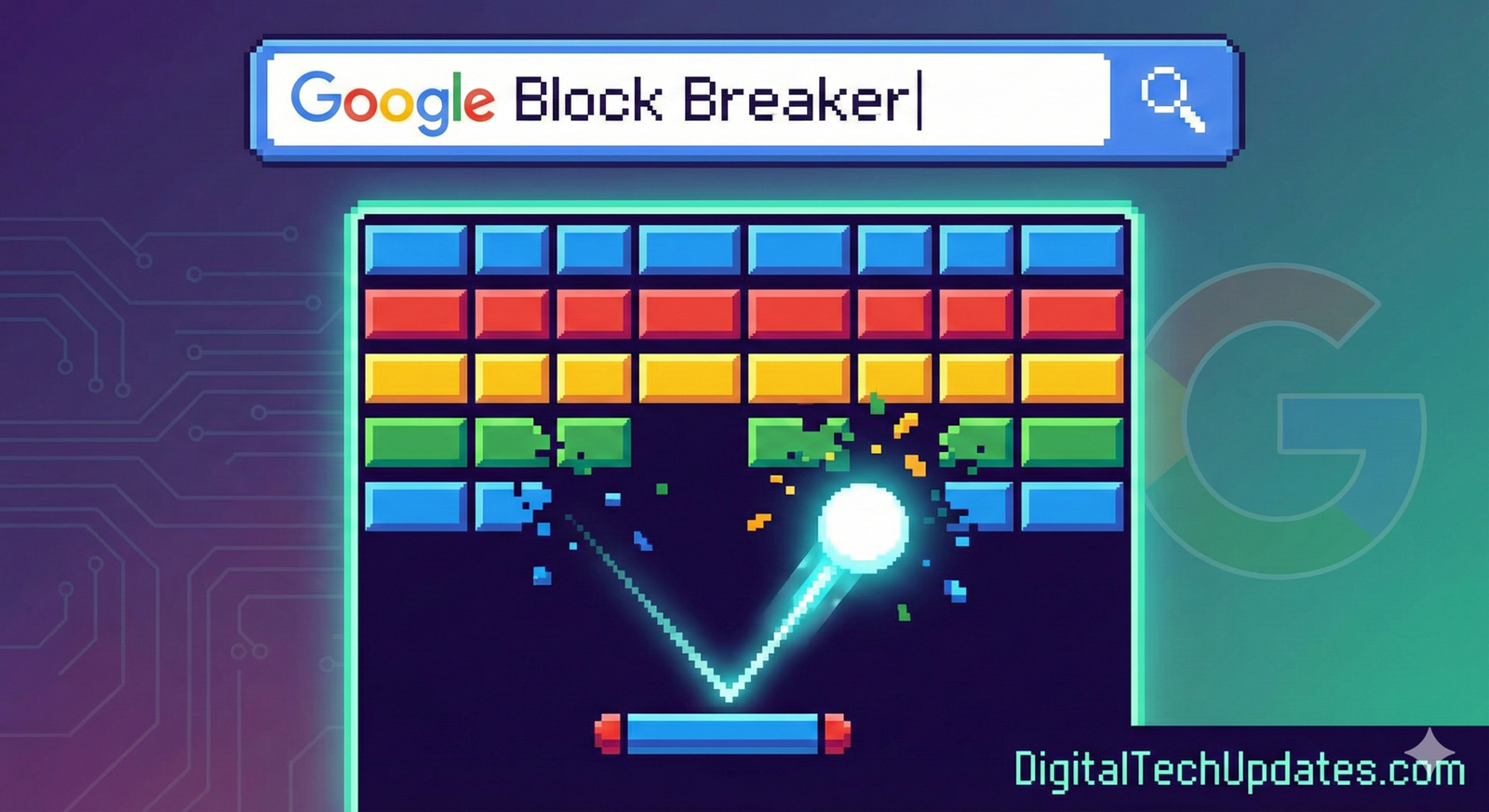
Google Block Breaker is a browser-based arcade game that serves as a modern tribute to the classic video game Breakout. It is an “Easter egg”—a hidden feature developers leave for users to find. Unlike traditional games that require Steam, an App Store download, or a console, Google Block Breaker runs entirely within your web browser using HTML5 technology.
The Premise
The concept is deceptively simple:
You control a paddle at the bottom of the screen.
A ball bounces around the screen.
Your goal is to deflect the ball into a wall of colored blocks (or bricks) at the top.
Every time the ball hits a brick, the brick disappears, and your score increases.
If the ball falls past your paddle, you lose a life.
It is a game of reflexes, geometry, and prediction. But as anyone who has played it knows, the “just one more try” factor is incredibly high.
Google Block Breaker vs. Atari Breakout
You might hear these terms used interchangeably, but there is a slight distinction in the Google ecosystem:
Atari Breakout (The Original Easter Egg): In 2013, for the 37th anniversary of the original game, Google released a famous Easter egg where searching “Atari Breakout” in Google Images would turn the image results into smashable bricks.
Google Block Breaker (The Modern Version): As browsers evolved, the original Image Search trick became harder to access. Google eventually introduced a dedicated “Block Breaker” mini-game that often appears in the “Snake” or “Pac-Man” card collection when you search for generic terms like “Google games” or “Block Breaker.”
How to Play Google Block Breaker (Step-by-Step)
Getting into the game is easy, but depending on your device, the method might vary slightly. Here is the definitive 2026 guide to launching the game.
Method 1: The Direct Search (Desktop & Mobile)
This is the most reliable way to play the modern iteration of the game.
Open Google.com or your Chrome browser.
Type “Block Breaker” or “Atari Breakout” into the search bar.
Look at the top of the search results. You will often see a “Play” button inside a featured card (similar to how Google displays the weather or calculator).
Click Play. The game will launch in a pop-up overlay.
Method 2: The “I’m Feeling Lucky” Trick (The Classic Way)
For the purists who want the old-school specific version:
Go to the Google homepage.
Type “Atari Breakout”.
Do not press Enter. Instead, click the “I’m Feeling Lucky” button.
Note: If you are already on the search results page, this might redirect you to the elgooG mirror (a fan archive site), which hosts the original 2013 version.
Controls
One of the reasons for the game’s massive popularity is its accessibility. You don’t need a controller.
Desktop/Laptop:
Mouse: Move your mouse left and right to control the paddle. (Most precise method).
Keyboard: Use the Left Arrow and Right Arrow keys.
Mobile/Tablet:
Touch: simply drag your finger left or right anywhere on the screen. The paddle will follow your finger’s horizontal movement.
The Mechanics of Addiction: Why Is It So Fun?
Before we get into the strategies, it is worth understanding why this game is so engaging. Game designers call this the “core loop.”
1. Instant Feedback Loop
Every time you hit a brick, you get three pieces of feedback instantly:
Visual: The brick vanishes.
Audio: A satisfying “beep” or “ping” sound.
Score: The number ticks up. This stimulates the dopamine receptors in your brain, rewarding you for a successful action immediately.
2. The “Flow State”
The game starts slow. The ball moves at a manageable pace. As you clear more bricks, the ball speeds up. This difficulty curve is designed to keep you in a “flow state”—where the task is challenging enough to require focus, but not so hard that you give up.
3. The “Tunneling” Effect
The most satisfying moment in any block breaker game is “tunneling.” This happens when you break a vertical column of bricks all the way to the top wall. If you can shoot the ball into that gap, it will get trapped between the top wall and the bricks, bouncing rapidly and destroying dozens of blocks within seconds without you needing to do anything.
Strategy Guide: How to Get a High Score
Are you tired of losing all your lives before clearing the first level? Use these pro tips to master Google Block Breaker.
1. The “Safety First” Approach
Don’t chase the ball if it’s risky. The paddle in the Google version is often quite narrow. If the ball is coming down at a sharp angle, prioritize positioning your paddle in the center of the ball’s projected path rather than trying to hit it with the edge.
2. Corner Control
Physics matters.
Hitting the ball with the center of your paddle returns it at a standard angle.
Hitting the ball with the edge of your paddle sends it flying at a sharp, shallow angle.
Pro Tip: Use the edge shots to send the ball sideways. This is the best way to hit the elusive bricks on the far left or right of the screen.
3. Focus on the Top
Your primary goal should always be to break through to the top wall (the ceiling). Once the ball hits the ceiling, it will bounce downward, hitting the top of the bricks. This is safer because the ball is spending time at the top of the screen, far away from your paddle (the danger zone).
4. The Two-Ball Panic
Some modern versions of the Google game include power-ups. If you get a “Multi-Ball” power-up (where the ball splits into two or three), do not try to save them all. Pick one ball to focus on. If you try to track two balls moving in opposite directions, you will likely miss both. Sacrifice one to save the run.
5. Mouse vs. Keyboard
If you are playing on a computer, use the mouse. The keyboard is limited to a fixed speed. The mouse allows you to “snap” across the screen instantly to save a fast-moving ball.
The History: From Steve Jobs to Google Search
The story of Block Breaker is actually the story of the personal computer revolution. It isn’t just a Google game; it’s a piece of Silicon Valley history.
The 1976 Origin
The original game, Breakout, was released by Atari in 1976. The arcade cabinet was conceptually designed by Nolan Bushnell (founder of Atari), but the hardware engineering was given to a young employee named Steve Jobs.
Jobs, not being a hardware engineer himself, recruited his friend Steve Wozniak (who would later co-found Apple with him). Wozniak designed the circuit board for the game in just four days, using a surprisingly small number of chips, which was a feat of engineering brilliance at the time.
The 2013 Resurrection
Fast forward 37 years. Google wanted to celebrate this history. The “Atari Breakout” Google Image Easter Egg became viral instantly. It was one of the first times Google showed that its search engine could be an interactive playground, paving the way for the Dinosaur Game (2014) and the Pac-Man Doodle.
Beyond Block Breaker: The Google Arcade Ecosystem
If you enjoy Block Breaker, Google has built an entire suite of “unblocked” browser games that require no downloads. These are perfect for school or office environments where external game sites might be blocked by firewalls.
1. Google Snake
A remaster of the classic Nokia phone game. Navigate a snake to eat apples. You can even change the snake’s color and the game speed.
How to play: Search “Google Snake”.
2. Pac-Man Doodle
A fully playable version of the 1980 classic, featuring the original logic for the ghosts (Blinky, Pinky, Inky, and Clyde).
How to play: Search “Pacman”.
3. The Dino Run (Chrome Dino)
The game that appears when you have no internet.
How to play: Turn off your WiFi and open a tab, or type
chrome://dinoin your address bar.
4. Solitaire and Minesweeper
For the puzzle lovers. Google has integrated full versions of these Windows classics directly into the search results.
Technical Deep Dive: Why HTML5 Games Matter for SEO and Web
For the tech-savvy readers of DigitalTechUpdates, it is interesting to note how these games work.
Google Block Breaker is built using HTML5 Canvas and JavaScript.
No Flash: In the early 2000s, browser games required Adobe Flash Player. Flash was heavy, insecure, and drained batteries.
Lightweight: HTML5 games are incredibly lightweight. The code for Block Breaker is likely only a few kilobytes. This means it loads instantly even on slow 4G/5G connections.
Responsive: The game code detects your viewport size (screen width) and adjusts the paddle size and brick layout dynamically. This is “Responsive Web Design” applied to gaming.
Why Google Does This
You might wonder, why does a trillion-dollar search company build free games?
User Retention: It keeps you on the Google page longer (Dwell Time).
Brand Love: It makes the brand feel fun and human, rather than a cold corporate utility.
Easter Egg Culture: It encourages users to search for random terms, engaging with the search engine in new ways.
Frequently Asked Questions (FAQ)
Q: Can I play Google Block Breaker on my iPhone or Android?
A: Yes! The game is fully mobile-responsive. Just search for “Atari Breakout” or “Block Breaker” in the Chrome app or Safari. You control the paddle by swiping your finger.
Q: Is there an end to the game?
A: In most versions, yes. Once you clear the screen of all bricks, the game will usually reset with a new, harder layout (faster ball speed or smaller paddle). Some versions loop infinitely until you run out of lives.
Q: Why can’t I find the “Images” version anymore?
A: Google changes its search algorithms and features constantly. The specific trick where images themselves turned into bricks was retired from the main engine to speed up image loading times. However, you can still play it on archive sites like elgooG.
Q: Is Google Block Breaker unblocked at schools?
A: Generally, yes. Because the game is embedded directly into Google Search (which schools rarely block), it is one of the few games that is almost always accessible on school Chromebooks.
Q: What is the highest score possible?
A: The score depends on the version. In the original Atari version, the maximum score was limited by memory. In the Google version, you can theoretically play forever, but the ball speed eventually becomes humanly impossible to track.
Conclusion: The Timeless Appeal of Breaking Bricks
In an era of 4K graphics, ray tracing, and virtual reality, the enduring popularity of Google Block Breaker is a testament to the power of simple, solid gameplay. It taps into a primal urge to clean up chaos, one brick at a time.
Whether you are a student looking to kill 10 minutes before the bell rings, or an office worker needing a mental palate cleanser between meetings, Google has provided a free, accessible, and surprisingly deep arcade experience right in your browser.
So, the next time you feel the burnout setting in, open a new tab, type in “Block Breaker,” and let the nostalgia take over. Just don’t blame us if you forget to check your email for the next hour.