Introduction
In today’s world, fast and reliable internet is no longer a luxury—it’s a necessity. From streaming movies in 4K to working remotely, gaming, and managing smart home devices, households demand seamless connectivity. Xfinity, one of the largest internet service providers in the U.S., offers a solution that goes beyond standard internet plans—xFi Complete.
Many customers wonder: What is xFi Complete? Is xFi Complete worth it? What does xFi Complete mean on my Xfinity bill? This comprehensive guide will answer all your questions and explain the features, benefits, and pricing of xFi Complete Xfinity.
What is xFi Complete?
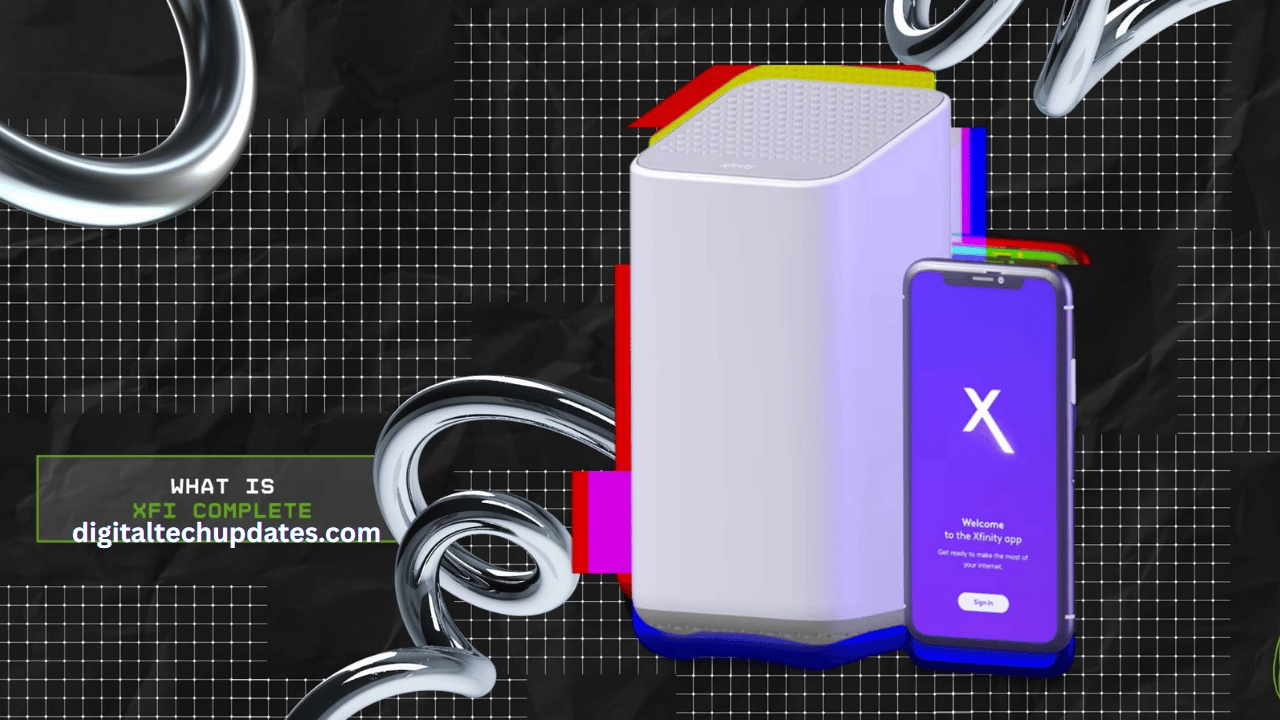
xFi Complete is an add-on service from Xfinity that upgrades your standard xFi Gateway experience. Simply put, xFi Complete with Xfinity is designed to give you whole-home coverage, unlimited data, and stronger network security.
In short:
xFi Complete meaning = a package that combines unlimited data, advanced security, and mesh WiFi (xFi Pods).
It ensures every corner of your home is connected without dead zones.
It prevents overage fees since you don’t have to worry about the 1.2TB monthly data cap.
If you’ve noticed xFi Complete on your Xfinity bill, it means you’ve opted into this upgraded package.
Key Features of xFi Complete
1. Whole-Home WiFi Coverage with xFi Pods
Dead zones are frustrating. xFi Complete vs xFi Gateway is a big upgrade here, since the regular Gateway may not cover every corner of large homes. With xFi Complete add-on, you get xFi Pods (mesh extenders) that spread WiFi evenly.
Eliminates weak signals.
Provides seamless connectivity across all rooms.
Perfect for large houses or multi-floor apartments.
2. Unlimited Data
With a standard plan, Xfinity has a 1.2TB cap. Beyond that, you pay overage fees. Many customers see an extra line on their bill labeled xFi Complete charge, which includes unlimited data.
No more surprise charges.
Cost savings compared to paying separately for unlimited data.
Ideal for gamers, streamers, and smart homes.
If you’re asking, “What is xFi Complete charge on my bill?” — it’s essentially the monthly fee ($25) for unlimited data and added benefits.
3. Advanced Security
Cybersecurity is critical today. xFi Complete Xfinity includes Advanced Security that protects all devices on your network.
Blocks malicious sites automatically.
Detects unusual activity.
Sends real-time alerts via the Xfinity app.
4. Easy Network Control via xFi App
Whether you’re on the xFi Gateway vs xFi Complete debate, the app is key. Both work with the app, but xFi Complete with add-on benefits gives you enhanced features.
You can:
Pause WiFi for specific devices.
View connected devices.
Monitor usage reports.
Run speed tests.
Benefits of Choosing xFi Complete
Unlimited data (no overage fees).
Better coverage with Pods included.
Advanced security for all devices.
Family-friendly tools like parental controls.
Convenience—everything managed in one place.
Pricing: What is xFi Complete Charge?
The xFi Complete charge is $25/month. This fee is in addition to your regular internet bill.
It includes:
Unlimited data (worth $30/month if bought separately).
Security features.
Access to xFi Pods at no extra cost (if required).
So if you see xFi Complete on my bill, it means you’ve opted for unlimited data + security + Pods under a single fee.
xFi Complete vs xFi Gateway
| Feature | xFi Gateway Only | xFi Complete Xfinity |
|---|---|---|
| Data Cap | 1.2TB | Unlimited |
| Pods (mesh extenders) | Not included | Included if needed |
| Advanced Security | Optional | Included |
| Monthly Cost | $14 gateway rental | $25 add-on charge |
| Who Should Choose | Small homes, light users | Large homes, heavy users |
If you’re debating xFi Gateway vs xFi Complete, consider whether your household hits data limits or struggles with coverage.
Who Should Get xFi Complete?
Do I need xFi Complete?
✅ Yes, if you:
Live in a big home.
Have many connected devices.
Stream, game, or work remotely.
Frequently exceed 1.2TB of data.
❌ Optional xFi Complete:
If you live alone or in a small apartment.
Rarely cross the monthly data cap.
Already use your own mesh system.
How to Add xFi Complete to Your Plan
Log into your Xfinity account.
Select Internet Services.
Choose xFi Complete add-on.
Xfinity will provide the Gateway and Pods if necessary.
Pros and Cons
Pros:
✔ Unlimited data.
✔ Mesh Pods for whole-home WiFi.
✔ Advanced Security built-in.
✔ Saves money for heavy users.
Cons:
✘ Extra $25 monthly charge.
✘ Must use Xfinity’s Gateway.
✘ May be unnecessary for small households.
FAQs
What is xFi Complete on my Xfinity bill?
It’s the $25/month upgrade charge for unlimited data, advanced security, and coverage enhancements.
Is xFi Complete worth it?
Yes, especially for large families, gamers, or anyone hitting data caps.
What is the difference between xFi Complete vs Xfinity standard internet?
Standard plans have data caps and limited coverage. xFi Complete Xfinity includes unlimited data, security, and Pods.
Can I remove the xFi Complete add-on?
Yes, it’s optional. You can downgrade anytime by contacting Xfinity.
Final Thoughts
xFi Complete with Xfinity is designed for modern households where internet is the backbone of daily life. Whether you’re worried about hitting data caps, dealing with dead zones, or keeping your devices secure, this add-on provides the right solution.
If you’ve been asking questions like:
What is xFi Complete charge?
Do I need xFi Complete?
What is the difference between xFi Complete vs xFi Gateway?
Now you know the full picture. For $25/month, the xFi Complete meaning is clear: unlimited, secure, whole-home internet peace of mind.