AI in the Workplace: Which Features Are Included and Which Cost Extra?

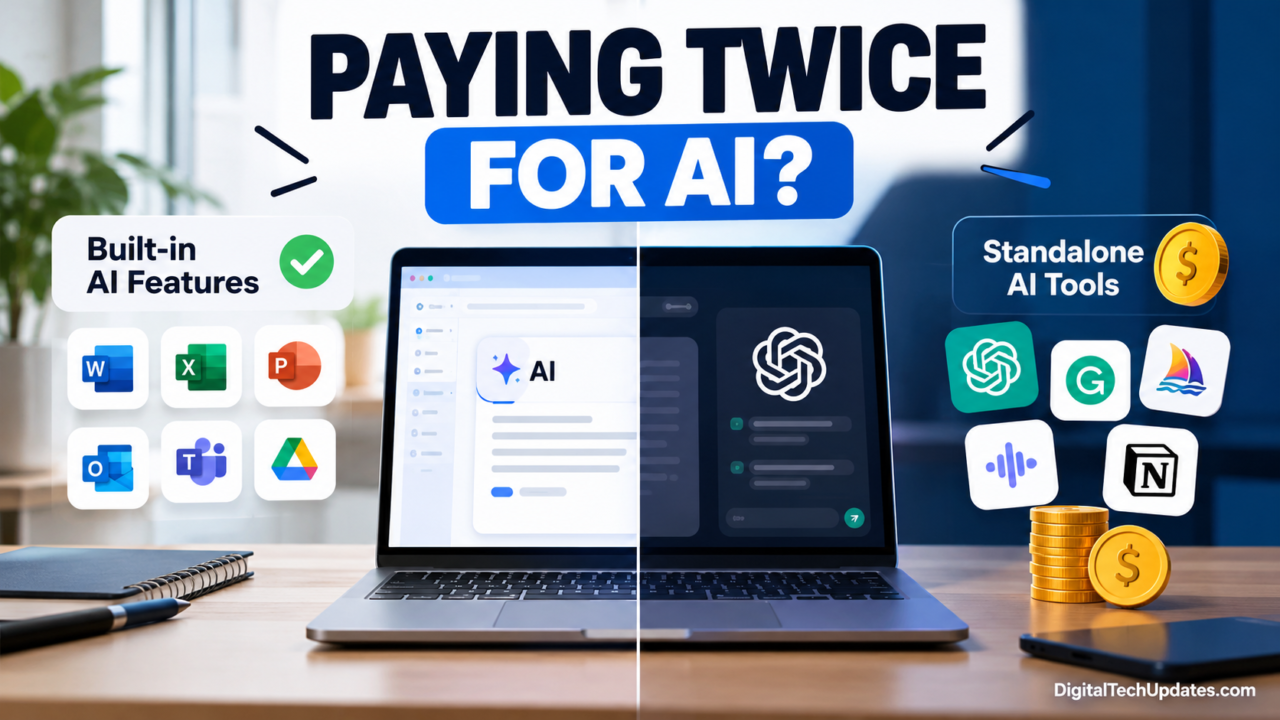
Imagine paying for office software, email, project management, and an AI assistant every month. Then you discover that some of the AI features you purchased separately were already available in your existing subscriptions.
It is becoming an important question for businesses adopting artificial intelligence: Are you paying for genuinely different AI capabilities, or simply paying twice for the same kind of work?
AI is now appearing inside everyday workplace applications, from email and document editors to spreadsheets and video meetings. At the same time, dedicated AI tools offer additional capabilities for research, content creation, data analysis, automation, and specialized workflows.
The challenge is knowing which features are already included, which require an upgraded plan, and when a separate subscription is worth the investment.
For employees, freelancers, and business owners, understanding these differences can help reduce unnecessary software expenses without sacrificing productivity.
How AI Is Changing the Modern Workplace
Artificial intelligence is no longer limited to experimental projects or specialist teams. It is increasingly integrated into the applications people use to complete routine work.
Depending on the software and subscription, AI can help users:
- Draft professional emails and business documents.
- Summarize long reports and email conversations.
- Analyze spreadsheet data and identify patterns.
- Generate presentation outlines and meeting summaries.
- Rewrite content for different audiences.
- Organize tasks and automate repetitive processes.
- Research topics and extract information from documents.
These features can reduce repetitive work, but their availability varies. Some tools offer limited AI assistance at no additional cost, while others reserve advanced capabilities for paid plans or separate licenses.
This distinction matters because a business may already have access to useful AI features through its existing software provider.
Built-In AI Features vs. Standalone AI Tools
Before purchasing another subscription, it helps to understand the two main categories of workplace AI.
What are built-in AI features?
Built-in AI features are integrated directly into an application or software subscription you already use.
For example, an eligible workplace plan might provide AI assistance inside email, document editing, spreadsheets, or video meetings. Users can work within their familiar applications instead of copying information into another service.
Examples include Microsoft 365 Copilot features in Microsoft applications and Gemini features within Google Workspace.
The main advantage is convenience. AI assistance is available closer to the files, messages, and workflows where the work happens.
However, built-in AI is not automatically free. Some capabilities require a qualifying subscription, a higher-tier plan, administrator approval, or an additional license.
What are standalone AI tools?
Standalone AI tools are dedicated products that provide AI capabilities through their own website, application, or integration.
Examples include ChatGPT for general-purpose assistance, Grammarly for writing support, and specialized tools for research, automation, or video production.
These products can be useful when a workplace application lacks a particular capability or when employees need a flexible assistant that works across several tasks.
For instance, a marketing professional might use an office suite for everyday documents but rely on a dedicated AI assistant for brainstorming, research, or analyzing uploaded files.
The important question is whether the standalone tool delivers something meaningfully better or different from the features already available.
Which AI Features Might Already Be Included in Your Software?
The answer depends on your current plan. Here are some common areas where existing subscriptions may already provide AI assistance.
1. Email writing and summarization
AI can help turn rough notes into professional emails, summarize lengthy conversations, and suggest clearer wording.
Eligible Google Workspace plans provide Gemini features in Gmail, while Microsoft subscribers have access to different Copilot capabilities depending on their license and account type.
Before purchasing a separate email-writing assistant, check whether your current email platform already supports the tasks you need.
2. Document creation and editing
Document applications increasingly offer AI assistance for drafting, rewriting, summarizing, and organizing information.
These features may be sufficient for routine reports, meeting notes, internal announcements, and first drafts.
A dedicated writing tool may still be useful if you need specialized editing controls, detailed style guidance, or workflows that your existing editor does not support.
3. Spreadsheet analysis
AI-assisted spreadsheet features can help users understand formulas, summarize data, and explore trends.
For example, an eligible Microsoft 365 plan may provide Copilot assistance in Excel. Other spreadsheet and data-analysis tools offer their own AI capabilities.
However, AI-generated formulas and conclusions should always be checked against the actual data. Sensitive financial or operational decisions require additional verification.
4. Meeting notes and summaries
Some workplace subscriptions offer AI-generated meeting notes, summaries, or action items.
Google Workspace provides AI meeting assistance in eligible plans, while Microsoft Teams capabilities depend on the applicable license and configuration.
If your existing platform already produces reliable summaries, paying for a second meeting assistant may be unnecessary.
A separate tool could still make sense if you regularly work across different meeting platforms or need specific recording, search, or workflow features.
5. Presentations and content assistance
AI can help organize presentation ideas, create initial slide content, and rewrite information for different audiences.
Existing presentation applications may cover basic requirements. Specialized AI presentation products can be worth evaluating when you need more advanced design automation, branded templates, or a different production workflow.
The goal is not to avoid every additional tool. It is to identify a real need before committing to another recurring payment.
Which AI Tools Might Require an Extra Subscription?
Standalone tools become more valuable when they provide capabilities that your existing software cannot adequately deliver.
Advanced research and document analysis
A dedicated AI assistant may offer research workflows, file analysis, or access to particular models and features that differ from those in your office suite.
Before subscribing, compare usage limits, supported file types, research capabilities, and the quality of results on your actual tasks.
Specialized writing and editing
General-purpose AI assistants can draft and rewrite content, but dedicated writing tools may offer additional grammar checks, tone suggestions, style consistency, and editing workflows.
Whether these features justify another payment depends on how frequently you use them and whether your existing software already meets your requirements.
Video and creative production
Businesses producing marketing videos, advertisements, or social media content may benefit from dedicated AI video and design tools.
These applications can offer specialized editing, caption generation, visual effects, and production features that ordinary office applications may not provide.
For occasional projects, existing tools may be enough. For a team producing content every week, specialized software could save meaningful time.
Cross-platform automation
Some AI tools connect multiple applications to automate workflows that would otherwise require manual work.
For example, a team might want to collect form submissions, categorize requests, draft responses, and send information to a project management system.
A separate automation platform may be useful if the built-in features of existing applications cannot support that workflow. Before buying, check integration limits, usage charges, reliability, and security.
Built-In AI vs. Standalone Tools: A Practical Comparison
The following table shows how to decide whether an existing feature is sufficient or a dedicated product deserves consideration.
| Workplace task | Existing AI option to check | When a separate tool may help |
|---|---|---|
| Email drafting | Gemini in Gmail or eligible Copilot features | Specialized email workflows or additional writing controls |
| Document writing | AI features in Word or Google Docs | Advanced editorial or style requirements |
| Spreadsheet analysis | Copilot in Excel or available spreadsheet AI | Specialized analytics or complex data workflows |
| Meeting summaries | AI features in Teams or Google Meet | Cross-platform recording, search, or action tracking |
| General research | Existing workplace assistant | Additional research tools or specialized workflows |
| Grammar and editing | Built-in editor and AI writing assistance | More detailed style checks or team-specific guidelines |
| Presentation creation | PowerPoint or Google Slides AI features | Specialized design automation or branded production |
| Workflow automation | Existing integrations and automation features | Complex workflows connecting multiple applications |
Important: These are options to investigate, not a guarantee that every feature is included in your current subscription. Product capabilities, regional availability, usage limits, and licensing arrangements can change.
Before paying for a standalone tool, verify the exact feature and license requirements on the vendor’s official website.
Five Signs You May Be Paying for Duplicate AI Features
Having several AI subscriptions is not necessarily a problem. The issue arises when their capabilities overlap without providing enough additional value.
1. Multiple tools perform the same basic task
If three subscriptions can all summarize documents and draft emails, determine whether each one has a distinct purpose.
You may only need one for routine work.
2. You rarely use the advanced features
A subscription may look attractive because it includes powerful features, but those features have little value if your team never uses them.
Review actual usage before renewing.
3. You constantly copy and paste between applications
Moving information between multiple AI tools can create extra work and introduce errors.
An integrated feature may be more efficient if it performs the same task inside the application where the information already exists.
4. Your team has purchased individual subscriptions unnecessarily
Employees sometimes buy their own tools because they do not know what their organization already provides.
A simple inventory of available licenses can reveal unused or overlapping subscriptions.
5. You cannot explain the business value of a subscription
Every paid AI tool should have a clear purpose, such as reducing editing time, supporting research, or automating a repetitive process.
If there is no measurable benefit, reconsider whether the expense is justified.
When Is a Standalone AI Tool Worth the Money?
A separate AI subscription can be a sensible investment when it solves a problem that your existing software cannot handle well.
Consider these factors before making a decision.
It provides a genuinely different capability. The tool offers a feature you cannot access through your current subscription, or it performs the task substantially better.
It saves measurable time. If a tool reduces repetitive work every day, the time savings may justify its cost.
It fits your workflow. The product integrates with the applications you use and does not create additional administrative work.
It meets your security requirements. The vendor provides appropriate data protection, access controls, and terms for your organization’s needs.
It is used consistently. A tool that becomes part of a team’s regular workflow is easier to justify than one used occasionally.
For example, a freelancer who creates a few documents each month might find an existing office suite and one general-purpose AI assistant sufficient. A video production team working on multiple campaigns may benefit from a specialized editing platform.
The right choice depends on the work, not the number of AI features a product advertises.
How to Audit Your Workplace AI Subscriptions
A simple subscription audit can help you identify overlapping tools before the next renewal.
Step 1: List every subscription
Include office software, AI assistants, writing tools, meeting applications, research services, and automation platforms.
Record the monthly or annual cost, the number of users, and the renewal date.
Step 2: Check the features you already have
Review your current subscription dashboard and official plan documentation.
For example, Google documents Gemini features included with eligible Workspace editions, while Microsoft explains how Copilot access differs by license.
Do not assume that every employee has access to every feature simply because the organization pays for the software.
Step 3: Match tools to real tasks
List the tasks your team performs regularly and identify which application handles each one.
If your email platform already drafts messages effectively, a separate email-writing subscription may not be necessary.
If your research workflow requires capabilities that your existing tools lack, a dedicated AI assistant may be justified.
Step 4: Run a practical comparison
Test your existing tools and potential alternatives using the same representative tasks. Compare accuracy, time required, output quality, ease of use, and security.
Avoid making decisions based only on marketing demonstrations.
Step 5: Calculate the actual cost
Consider the full subscription cost, not just the advertised starting price.
For example, a tool costing ₹1,000 per month costs ₹12,000 annually for one user. For a team of ten, the same monthly rate becomes ₹1,20,000 annually.
These are illustrative calculations, excluding taxes and discounts. They show why even a relatively inexpensive subscription deserves a clear purpose.
Step 6: Keep, replace, or cancel
Retain tools that provide distinct value. Replace overlapping products when an existing subscription meets the same need. Cancel unused subscriptions after checking renewal terms and any data-export requirements.
The aim is to build a smaller, more effective collection of tools rather than simply minimizing the number of subscriptions.
AI Security, Privacy, and Company Policies
Cost should not be the only consideration when choosing workplace AI.
Employees may handle customer information, contracts, internal reports, financial records, or other confidential data. Uploading such information to an unapproved AI service can create security and compliance risks.
Before adopting a tool, check:
-
Whether business data may be used to train AI models.
-
How long prompts, uploaded files, and generated responses are retained.
-
Whether administrators can control access and permissions.
-
Whether the service meets your organization’s contractual and regulatory requirements.
-
Whether employees are permitted to connect the tool to company applications.
Use approved accounts and follow company policies. Never assume that a personal AI subscription provides the same protections as an enterprise plan.
AI-generated output also requires human review. Incorrect summaries, fabricated references, and misleading spreadsheet interpretations can create problems even when the software itself is legitimate.
The Bottom Line: Build a Smarter AI Stack
The best workplace AI setup is not necessarily the one with the most subscriptions. It is the one that meets your requirements without creating unnecessary cost, complexity, or risk.
Start by checking the AI features included in your current software. Test them against the tasks you perform regularly. Identify any genuine gaps, and consider standalone tools only when they provide additional capabilities, better results, or measurable time savings.
For small businesses and freelancers, this approach can help keep recurring expenses under control. For larger organizations, a regular AI subscription audit can improve license utilization, reduce duplication, and make technology spending easier to justify.
The key takeaway: Before paying for another AI tool, make sure you are not already paying for a feature that does the job.
Frequently Asked Questions
1. Are AI features included in Microsoft 365 subscriptions?
Some are. Access depends on the subscription, account type, and organization settings. Microsoft provides Copilot Chat to eligible business users, while deeper integration and advanced capabilities depend on licensing.
2. Does Google Workspace include Gemini AI?
Gemini features are included in eligible Google Workspace plans, but the available capabilities differ by edition. Check the official plan details before purchasing another AI assistant.
3. Do I need ChatGPT if my office software already has AI?
Not necessarily. An existing workplace assistant may cover routine tasks. ChatGPT or another standalone tool may be useful if it provides capabilities, workflows, or usage limits that better suit your needs. Compare the actual features before deciding.
4. Is Grammarly worth paying for if I already use an AI writing assistant?
It depends on your writing needs. Grammarly offers specialized editing and writing features, some of which are available only on paid plans. If your existing tools already meet your requirements, an additional subscription may not be necessary.
5. How often should businesses review their AI subscriptions?
A quarterly review is a reasonable starting point for many businesses, with additional checks before renewals or major software changes. Teams adopting new AI tools rapidly may benefit from reviewing usage more frequently.

Thalla Lokesh
Thalla Lokesh is a Digital Marketing Strategist and SEO Specialist with over 12 years of experience in helping businesses grow their online presence. Since beginning his career in 2013, he has successfully worked across industries including healthcare, education, technology, and e-commerce. He specializes in search engine optimization (SEO), content marketing, keyword strategy, and link building, with a strong focus on delivering measurable results. Lokesh has helped brands achieve top rankings on Google through data-driven strategies, high-quality content, and ethical SEO practices aligned with search engine guidelines. As the founder of Honey Web Solutions , a Tirupati-based digital marketing company, he actively works with clients to improve organic traffic, lead generation, and online visibility. He also contributes expert insights on digital marketing trends, AI SEO, and content strategies through blogs and industry platforms.