EPFO Home: Official EPFO Website, UAN Login, Passbook & Online Services

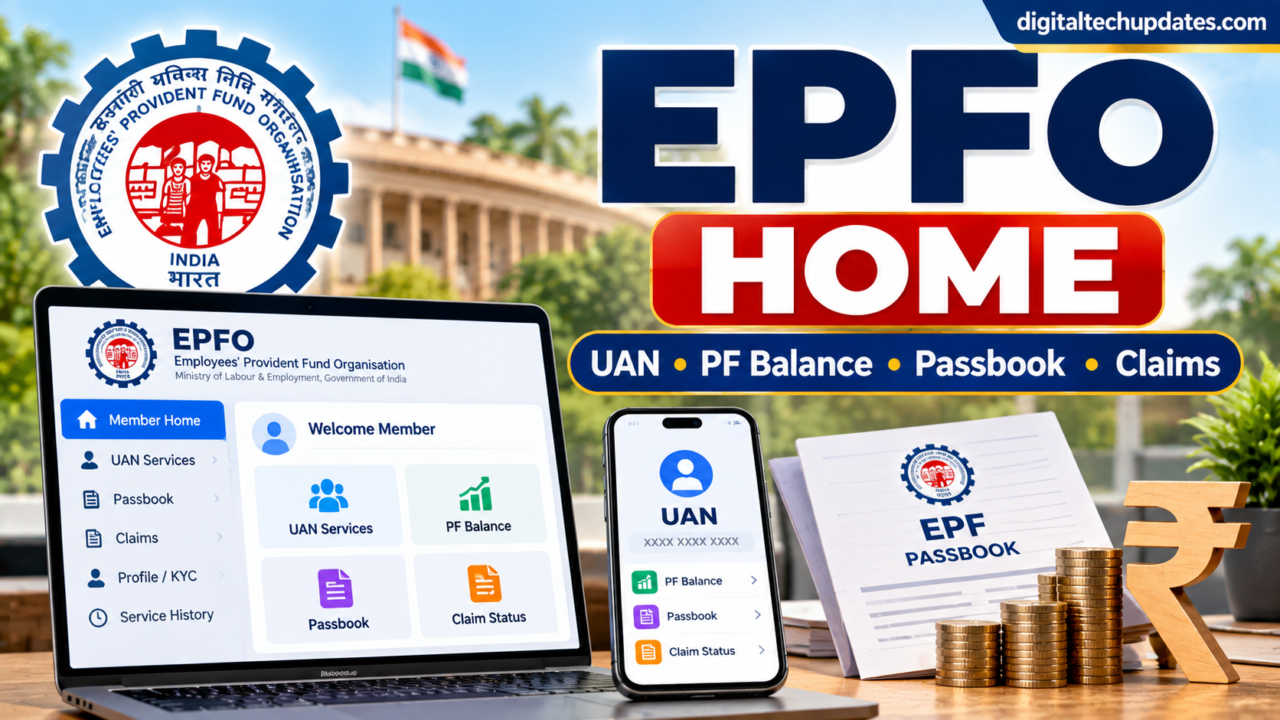
If you are searching for EPFO Home, you are probably looking for the official Employees’ Provident Fund Organisation website or its online member services.
EPFO provides several online facilities for employees, employers and pensioners. Members can use EPFO’s online services for things such as UAN login, checking their EPF information, viewing their passbook, tracking claims and managing certain account details.
However, there are several EPFO-related websites available online, and it is important to use the official government portals when entering sensitive information.
This guide explains the EPFO Home page, Member Portal, UAN login, EPF passbook, claim status, UAN services, employer services and important safety precautions.
What Is EPFO?
EPFO stands for Employees’ Provident Fund Organisation.
It is an organisation under India’s Ministry of Labour and Employment that administers important social-security schemes related to employees, including:
- Employees’ Provident Fund (EPF)
- Employees’ Pension Scheme (EPS)
- Employees’ Deposit Linked Insurance Scheme (EDLI)
For employees covered under EPF, the organisation provides various online services through its official portals and the UMANG app.
EPFO Home – Official Website
The main official EPFO website is:
epfindia.gov.in
From the official EPFO website, users can access information and links for members, employers, pensioners and other stakeholders.
For member login, EPFO operates a separate Member Interface. The current Member Home portal provides UAN login and links to several member services.
Official EPFO Member Home:
EPFO Member Home
Official EPFO Passbook:
EPFO Passbook & Claim Status
Always check that you are using an official epfindia.gov.in domain before entering your UAN, password or other personal information.
What Is EPFO Member Home?
The EPFO Member Home is the online portal intended for EPF members.
The current portal provides a UAN and password login and displays various member-related services. It also provides options such as Know Your UAN, claim-related services and other member facilities.
The portal has also undergone technology and database upgrades, so the appearance and availability of individual services may change over time.
EPFO Member Login
If you already have a UAN and an active password, you can use the official EPFO Member Interface to log in.
Steps to log in
- Open the official EPFO Member Portal.
- Enter your UAN.
- Enter your password.
- Enter the CAPTCHA displayed on the screen.
- Select Sign In.
- After successful authentication, you can access the services available for your account.
Important: Never share your UAN password or OTP with another person.
EPFO itself warns members to be vigilant about credential theft and says it does not ask members for personal information such as Aadhaar, PAN or bank details over the phone.
Important 2026 Update: UAN Activation
There is an important change that users searching for EPFO Home should know.
The current EPFO Member Portal states that UAN activation through the portal has been discontinued.
EPFO now directs members to use Aadhaar-based Face Authentication (FAT) through the UMANG app for UAN activation. The portal also states that UAN allotment and activation can be accessed through the relevant UMANG EPFO service.
So, if you find an old article telling you to activate your UAN directly through the old Member Portal, that information may no longer be current.
How to Activate UAN Through UMANG
According to the current EPFO Member Portal instructions:
- Download the official UMANG app.
- Open the EPFO services section.
- Select UAN Services Through Face Auth.
- Choose the relevant UAN activation or allotment option.
- Follow the Aadhaar-based Face Authentication instructions.
- Complete the process as instructed by the application.
EPFO currently lists 14470 as its helpdesk number for assistance with this process.
How to Check EPF Balance
One of the most common reasons people search for EPFO Home is to check their PF balance.
Members can use the official EPFO passbook facility to view their EPF account information.
Steps
- Open the official EPFO Passbook website.
- Enter your UAN.
- Enter your password.
- Enter the CAPTCHA.
- Select Sign In.
- View the available passbook information.
The official EPFO Passbook portal currently provides EPF Passbook & Claim Status services.
Why Is My EPF Passbook Not Available?
Sometimes a member may not be able to see a passbook.
One possible reason is that the employee works for an exempted establishment. EPFO’s information booklet explains that the passbook may not be available in the UAN portal in such cases, and the member may need to contact the establishment for the PF statement.
Other reasons can include:
- Recent contribution not yet reflected
- Technical issues
- Account or establishment-related issues
- Data processing delays
- Changes following system upgrades
If the problem continues, use official EPFO support or grievance channels.
How to Check EPFO Claim Status
EPFO provides facilities for checking the status of claims.
The official EPFO helpdesk information provides a Know Your Claim Status facility.
You can also access claim-related information through the official EPFO passbook and member services.
When checking a claim, keep your relevant EPF/UAN information available.
Why can an EPFO claim take time?
A claim may require verification and processing before it is settled.
Processing can also take longer when EPFO systems are undergoing upgrades or when additional verification is required.
EPFO’s current Member Home portal notes that claims and service requests can be processed in a phased manner following system upgrades and that members may experience longer-than-usual processing times during stabilization periods.
EPFO UAN Services
The Universal Account Number (UAN) is an important identifier for EPF members.
Depending on your account and the services currently available, EPFO provides facilities related to:
- UAN access
- UAN activation
- UAN allotment
- Member information
- Service history
- KYC-related information
- Passbook
- Claims
- Transfer-related services
EPFO’s current Member Portal specifically provides options such as Know Your UAN, and its current instructions direct users to UMANG for UAN activation and allotment through Face Authentication.
How to Find Your UAN
If you don’t remember your UAN, the official Member Portal currently provides a Know Your UAN facility.
Open the official EPFO Member Portal and select the appropriate option.
You should follow the information requested by the official portal rather than using an unknown third-party website.
EPFO Passbook
The EPFO Passbook facility helps eligible members view their PF account information.
It can be useful for checking:
- Employee contributions
- Employer contributions
- Account balances
- Contribution history
- Other available transaction details
The official EPFO Passbook portal currently combines EPF Passbook & Claim Status services.
EPFO Online Services Through UMANG
UMANG is an important channel for EPFO services.
EPFO’s current Member Portal states that UAN activation and allotment are available through Aadhaar-based Face Authentication in UMANG.
EPFO’s information materials also list services such as:
- Passbook
- Online claim filing
- Claim tracking
- UAN activation
- UAN allotment
- Jeevan Pramaan submission
- Pension Payment Order download
Availability can change as EPFO updates its systems.
EPFO Employer Login
EPFO also has a separate online portal for employers.
Employers should not use the employee Member Portal for employer-specific services.
The official employer portal provides Establishment Sign In and other employer-related facilities. It also provides options for password recovery and account unlocking.
The employer portal currently displays information about EPFO services available through UMANG and other employer facilities.
EPFO Services for Pensioners
EPFO also provides online facilities for pensioners.
The official Pensioners’ Portal includes facilities related to:
- Pension status
- PPO-related enquiries
- Pension payment information
- Pension-paying bank information
- Jeevan Pramaan enquiries
EPFO also promotes Nidhi Aapke Nikat 2.0 camps for assistance with EPF, pension and EDLI-related matters.
EPFO Home vs EPFO Member Home
These terms can be confusing.
| Portal/Service | Main Purpose |
|---|---|
| EPFO official website | General EPFO information and links |
| EPFO Member Home | Employee/member services |
| EPFO Passbook | Passbook and claim-status services |
| EPFO Employer Portal | Employer and establishment services |
| Pensioners' Portal | Pension-related enquiries |
| UMANG | Mobile access to supported government/EPFO services |
The exact services available can change as EPFO updates its systems.
How to Identify the Official EPFO Website
This is extremely important because EPFO accounts contain sensitive personal and financial information.
Before entering your details:
Check the domain
Prefer official government domains ending in:
epfindia.gov.in
Be cautious about websites with names that merely contain words such as:
- EPFO
- PF
- UAN
- EPF
- Passbook
A website using these words is not automatically an official EPFO website.
Don’t trust “instant PF withdrawal” promises
Be especially careful with websites or social-media accounts promising:
- Instant PF withdrawal
- Guaranteed claim approval
- Fast UAN activation for a fee
- Guaranteed pension increases
- Immediate account unlocking
Use official EPFO channels instead.
EPFO Fraud Alert
EPFO explicitly warns members about fraud.
Never share your:
- UAN password
- OTP
- Aadhaar details
- PAN details
- Bank account information
- ATM/debit card information
- UPI PIN
- Other sensitive credentials
with an unknown caller or website.
The official EPFO Passbook portal warns that EPFO does not call members or pensioners asking them to deposit money and advises users not to make payments based on such calls.
EPFO’s Member Portal similarly warns against credential theft and says it does not ask members for Aadhaar, PAN or bank details over the phone.
Common EPFO Login Problems
1. Forgot UAN Password
Use the password recovery option available through the official member services.
2. UAN Activation Problem
If you are trying to activate a UAN through the old Member Portal, note that EPFO currently says UAN activation through that portal has been discontinued.
Use the UMANG app and Aadhaar-based Face Authentication instead.
3. Passbook Not Updated
Recent contributions may not always appear immediately.
If the issue continues, check your account details and contact the appropriate EPFO or employer support channel.
4. Website Not Working
Government portals can occasionally experience maintenance, upgrades or heavy traffic.
Avoid repeatedly submitting the same request if the system is temporarily unavailable.
5. Claim Taking Longer
Claims can require verification and processing. EPFO has also noted that processing times can be affected during system upgrades and stabilization.
How to Contact EPFO
EPFO currently lists 14470 as its helpdesk number on the Member Portal.
For grievances, EPFO also operates the EPFiGMS grievance mechanism. EPFO’s published grievance information identifies EPFiGMS as its dedicated digital grievance platform.
If you have a problem that cannot be resolved through the normal online services, using the official grievance mechanism is preferable to relying on an unofficial agent.
Frequently Asked Questions About EPFO Home
What is EPFO Home?
EPFO Home generally refers to the official EPFO website or the EPFO online home/member services used to access provident-fund-related services.
What is the official EPFO website?
The official EPFO website is epfindia.gov.in. Members should use official EPFO portals linked from the government organisation’s website.
How can I log in to EPFO?
Members with an active UAN and password can use the official EPFO Member Interface.
How can I check my EPF balance?
You can use the official EPFO Passbook service to view available EPF account information.
How can I download my EPF passbook?
Open the official EPFO Passbook portal, enter your UAN and password, complete the CAPTCHA and sign in.
How can I check EPFO claim status?
EPFO provides official claim-status facilities through its online services, including the Passbook & Claim Status portal.
What is UAN?
UAN stands for Universal Account Number. It is used to identify and manage an EPF member’s account-related services.
Can I activate my UAN through the EPFO Member Portal?
The current EPFO Member Portal states that UAN activation through the portal has been discontinued. EPFO directs members to use Aadhaar-based Face Authentication through UMANG.
Can I access EPFO services through UMANG?
Yes. EPFO currently directs members to UMANG for services including UAN activation/allotment through Face Authentication, and other EPFO services are also available through the platform.
One possible reason is that you work for an exempted establishment. EPFO notes that passbooks may not be available through the UAN portal in such cases.
Is EPFO Home safe?
The official EPFO portals are the appropriate places to access EPFO services. However, users should be careful about fake websites, phishing messages and people requesting UAN, OTP, Aadhaar or bank details.
What is the EPFO helpdesk number?
The current EPFO Member Portal lists 14470 as the EPFO Helpdesk number.
Conclusion
The term EPFO Home can refer to the official EPFO website and the online services available to EPF members, employers and pensioners.
For employees, the most useful services include UAN login, EPF passbook, claim-related services, UAN services and other member facilities.
One important 2026 update is that UAN activation through the EPFO Member Portal has been discontinued. EPFO currently directs members to use UMANG with Aadhaar-based Face Authentication for UAN activation and allotment.
If you need to check your PF information, always use the official EPFO portals and avoid third-party websites asking for sensitive credentials.
Most importantly, never share your UAN password, OTP, Aadhaar, PAN, bank details or UPI PIN with an unknown person.
Disclaimer
This article is for informational purposes only. EPFO procedures, portal features and service availability can change as the organisation updates its systems. Always verify important information on the official EPFO website before submitting personal information or making any transaction.

Thalla Lokesh
Thalla Lokesh is a Digital Marketing Strategist and SEO Specialist with over 12 years of experience in helping businesses grow their online presence. Since beginning his career in 2013, he has successfully worked across industries including healthcare, education, technology, and e-commerce. He specializes in search engine optimization (SEO), content marketing, keyword strategy, and link building, with a strong focus on delivering measurable results. Lokesh has helped brands achieve top rankings on Google through data-driven strategies, high-quality content, and ethical SEO practices aligned with search engine guidelines. As the founder of Honey Web Solutions , a Tirupati-based digital marketing company, he actively works with clients to improve organic traffic, lead generation, and online visibility. He also contributes expert insights on digital marketing trends, AI SEO, and content strategies through blogs and industry platforms.