Samsung One UI 9: New Features, Eligible Devices, Android 17, India Update & Rollout

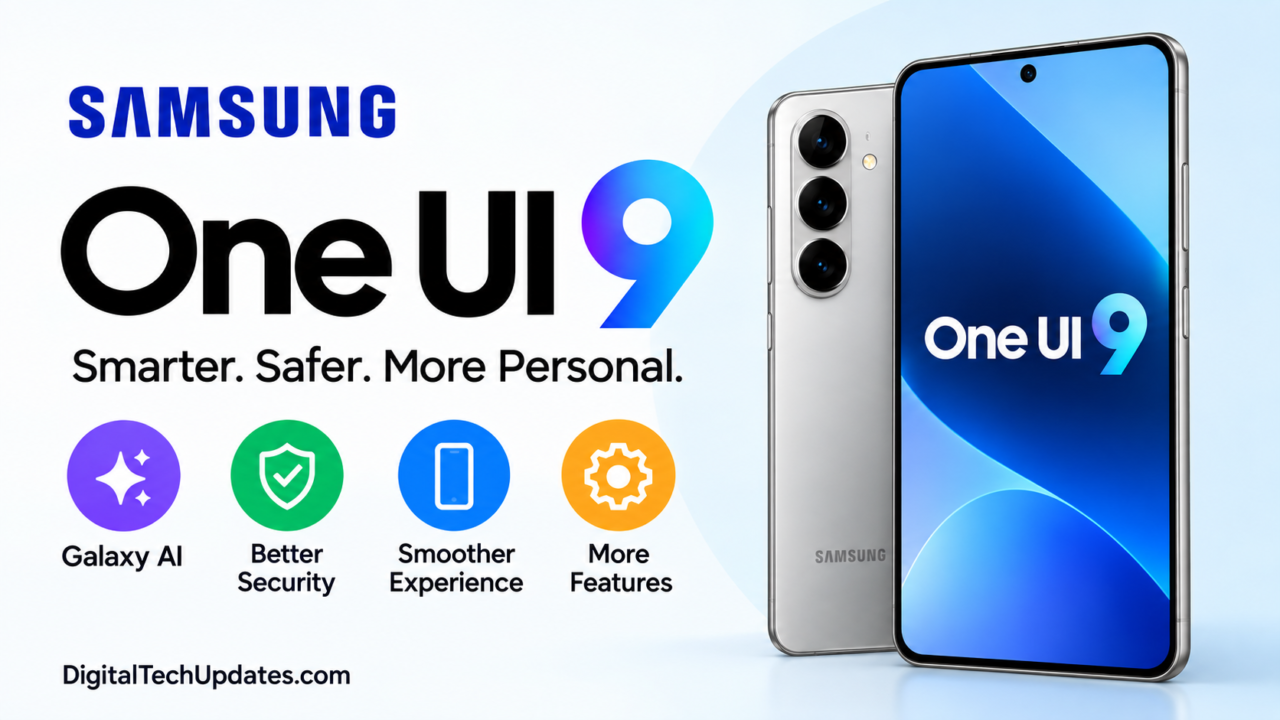
Samsung One UI 9 is finally here, and Galaxy users have plenty of reasons to pay attention to the latest software update.
Based on Android 17, One UI 9 brings a combination of new Galaxy AI features, smarter suggestions, improved privacy and security, better camera tools, enhanced productivity features and several smaller changes designed to make everyday phone use easier.
Samsung has already started expanding the official One UI 9 rollout to Galaxy devices. The rollout began with the Galaxy S26, Galaxy S26+ and Galaxy S26 Ultra, following the debut of One UI 9 on the Galaxy Z Fold8 Ultra, Galaxy Z Fold8 and Galaxy Z Flip8. Samsung is continuing the rollout to additional eligible Galaxy smartphones and tablets in phases.
For users in India, the rollout is particularly interesting because Samsung has also launched the Galaxy S26 FE with One UI 9, making it one of the latest Galaxy devices to ship with the new software.
But what exactly is new in One UI 9, which Samsung phones will receive it, and how can you check for the update?
Here is everything you need to know.
Samsung One UI 9: Quick Answer
Samsung One UI 9 is the company’s Android 17-based software update for Galaxy devices. It introduces expanded Galaxy AI features, My FanCam, Now Nudge, customizable Now Brief cards, improved document scanning, enhanced Interpreter features, stronger privacy tools, Scam Detection and a new Warranty and Care experience.
The stable rollout has started, but the exact availability depends on the Galaxy model, country, carrier and software version.
What Is Samsung One UI 9?
One UI 9 is Samsung’s latest major version of its Galaxy user interface.
It is built on Android 17 and focuses less on simply changing the appearance of the phone and more on making Galaxy devices smarter and more useful in everyday situations.
Samsung is putting particular emphasis on context-aware Galaxy AI.
In practical terms, that means your phone can provide suggestions based on what you are doing, help you edit or create content, improve videos, summarize recordings and provide additional security information.
Samsung One UI 9 Release Date
Samsung began the official One UI 9 rollout in September 2026.
The initial rollout includes:
- Galaxy S26
- Galaxy S26+
- Galaxy S26 Ultra
One UI 9 had already debuted on:
- Galaxy Z Fold8 Ultra
- Galaxy Z Fold8
- Galaxy Z Flip8
Samsung says the update will continue expanding to other eligible Galaxy smartphones and tablets in phases.
One UI 9 India Release
Indian users should not expect every Galaxy phone to receive One UI 9 on the same day.
Samsung’s rollout is phased, and availability can vary according to the device model, region, carrier and software version.
Samsung has also confirmed that Scam Detection is available in India, although individual features can have different device and language requirements.
Samsung One UI 9 New Features
The biggest changes in One UI 9 are concentrated around Galaxy AI, camera improvements, personalization and security.
Let’s look at the features that users are most likely to notice.
1. My FanCam Keeps People in the Frame
If you frequently record children, sports, dance performances or family events, My FanCam could be one of the most useful new features.
It can automatically track a selected person during video recording and intelligently reframe the footage to keep that person centred.
Instead of constantly moving the phone to follow someone, the software can handle more of the framing automatically. Samsung says the feature is designed to make it easier to create social-ready videos.
2. Now Nudge Gives Context-Aware Suggestions
One UI 9 introduces Now Nudge, a feature designed to provide useful suggestions based on what you are currently doing.
For example, while chatting with someone, the phone can surface relevant actions or information without requiring you to manually switch between several apps.
This is part of Samsung’s larger move toward context-aware AI rather than simply offering a chatbot-style assistant.
3. Now Brief Becomes More Personal
Samsung’s Now Brief is also getting more flexible.
One UI 9 introduces Generative and Editable Cards, allowing users to customize the type of information they want to see.
Depending on the device and availability, cards can provide information related to areas such as:
- Health
- Weather
- Videos
- Daily activities
- Other personalized information
The idea is to make Now Brief more relevant to the individual rather than showing the same type of summary to everyone.
4. Creative Studio Gets More AI Features
Samsung is expanding AI-powered creativity through Creative Studio.
The feature can suggest image-generation ideas around events and occasions.
For example, if a birthday or another event is coming up, Creative Studio can help users create themed visual content.
Some Creative Studio functions require a Samsung Account and network connection, and availability can vary according to country, language and device.
5. Interpreter Gets a Useful Upgrade
Samsung’s Interpreter feature gets an improved experience with Thread View.
This makes translated conversations easier to follow because users can refer back to earlier parts of the conversation.
For people travelling internationally or communicating with someone who speaks another language, this could be a useful everyday improvement.
Supported languages and features can vary by device and region.
6. Document Scan Is More Convenient
One UI 9 also improves document scanning.
Samsung says the updated experience can better handle difficult documents, including curved book pages and papers with folded corners.
That could be useful for students, office workers and anyone who frequently uses their phone as a portable scanner.
7. Voice Recorder Summaries Are Easier to Read
If you regularly record meetings, interviews, lectures or personal notes, the improved Voice Recorder experience is worth knowing about.
One UI 9 can organize summaries using clearer structures such as headings and tables.
Instead of going through an entire recording or a long block of summarized text, users can find important information more quickly.
8. Warranty and Care Comes to Settings
Another practical addition is the Warranty and Care section.
Depending on the device and country, users can access information and tools related to:
- Warranty coverage
- Device diagnostics
- Repair estimates
- Samsung Care+
- Service appointments
This makes device support easier to access without searching through separate websites or applications.
One UI 9 Security Features
Security is one of the areas Samsung has given considerable attention in One UI 9.
Security Brief
Security Brief can provide security and privacy information through Now Brief.
It can highlight potential concerns involving things such as malware, unknown-source applications and unnecessary permissions.
Privacy Alerts
Privacy Alerts use on-device AI to help identify potential privacy risks, including suspicious or unnecessary background access to permissions.
The exact availability depends on the Galaxy model and software version.
Scam Detection
Samsung is also expanding Scam Detection.
This feature is particularly relevant for Indian users because Samsung has confirmed India as one of the markets where the feature will be available.
However, Samsung notes that availability can vary depending on the device, language and software version.
One UI 9 Has a Major Lock Screen Security Change
This is one of the most important One UI 9 changes that users should know about — and it is easy to overlook when reading a list of AI features.
Samsung has introduced stricter lock-screen security measures on devices launched with One UI 9.0.
The number of permitted incorrect unlock attempts has been reduced, and the lockout period becomes progressively longer as incorrect attempts continue.
According to Samsung’s current One UI 9 security guidance:
| Failed Attempts | Lockout Duration |
|---|---|
| 5 | 1 minute |
| 6 | 5 minutes |
| 7 | 15 minutes |
| 8 | 30 minutes |
| 9 | 90 minutes |
| 10 | 4 hours |
| 11 | 12 hours |
| 12 | 24 hours |
| 13 | Device requires factory reset |
Samsung says the 13th failed attempt results in the device being permanently locked until a factory reset is performed.
The system also provides warnings about remaining attempts, and identical consecutive incorrect entries are handled differently under the new counting system.
What if I use fingerprint or face unlock?
You still need to remember your backup PIN, password or pattern.
Samsung says Android’s Strong Authentication requirement means users must enter their backup credential at least once every 72 hours even when biometric authentication is normally used.
So, don’t forget your PIN just because you normally unlock your phone with your fingerprint.
One UI 9 Hidden and Smaller Changes
Not every One UI 9 improvement is a headline feature.
Samsung’s One UI 9 beta introduced improvements across areas such as Samsung Notes, accessibility, customization, Quick Panel and security.
These smaller improvements matter because they can change the everyday experience without appearing in a specification-style feature list.
Users searching for One UI 9 hidden features, One UI 9 tips and tricks and One UI 9 new settings should therefore look beyond the major Galaxy AI features.
Samsung One UI 9 Eligible Devices
Samsung is expanding One UI 9 in stages rather than providing every device with the update simultaneously.
The current One UI 9 rollout includes the latest Galaxy models, while Samsung’s beta program has also included devices such as:
- Galaxy S25
- Galaxy S25+
- Galaxy S25 Ultra
- Galaxy S25 FE
- Galaxy Z Fold7
- Galaxy Z Flip7
Samsung announced the expanded beta program for these models in September 2026, including selected markets such as India.
Samsung has also confirmed One UI 9-related features for a wider range of recent Galaxy smartphones, foldables and tablets.
Important: Feature Availability Is Not the Same as Update Availability
This distinction is important.
A Samsung device being listed as supporting a particular One UI 9 feature does not automatically mean that the full One UI 9 update is already available for that model in your country.
Samsung rolls out software in phases, and some features also require compatible hardware.
Samsung One UI 9 Update Tracker
Use this table as a simple tracker and update it as Samsung expands the rollout.
| Galaxy Device | One UI 9 Status |
|---|---|
| Galaxy S26 | Rolling out |
| Galaxy S26+ | Rolling out |
| Galaxy S26 Ultra | Rolling out |
| Galaxy Z Fold8 Ultra | Available with One UI 9 |
| Galaxy Z Fold8 | Available with One UI 9 |
| Galaxy Z Flip8 | Available with One UI 9 |
| Galaxy S26 FE | Launched with One UI 9 |
| Galaxy S25 Series | Rollout/availability varies |
| Galaxy Z Fold7 | Rollout/availability varies |
| Galaxy Z Flip7 | Rollout/availability varies |
| Galaxy S24 Series | Check Samsung update availability |
| Galaxy S23 Series | Check Samsung update availability |
Important: Do not assume a single worldwide release date for each model. Samsung’s rollout can differ by market, carrier and device variant.
Samsung One UI 9 Update in India
For Indian Galaxy users, the rollout is especially worth watching.
Samsung has confirmed India as a market for features such as Scam Detection, while the Galaxy S26 FE launched in India with One UI 9.
If your Galaxy phone has not received the update yet, don’t immediately assume that it is unsupported.
The update may simply not have reached your particular model or software variant.
How to Check for One UI 9 Update
Checking for the update is simple.
Go to:
Settings → Software update → Download and install
If One UI 9 is available for your device, you should see the update option.
You can also check your current One UI version by going to:
Settings → About phone → Software information
Samsung provides this path for checking the One UI version installed on a Galaxy device.
Why Haven’t I Received One UI 9 Yet?
This is likely to be one of the most common questions from Galaxy users.
There are several possible reasons:
- Your model has not entered the rollout phase yet
- Your country has a different rollout schedule
- Your carrier has not released the update
- Your specific device variant is still being tested
- Some features are not supported on your hardware
- The update is being distributed gradually
Samsung specifically notes that One UI 9 features and availability can vary according to device model, country, region, language and software version.
One UI 9 vs One UI 8
| Feature | One UI 8 | One UI 9 |
|---|---|---|
| Android base | Android 16 | Android 17 |
| Galaxy AI | Available | Expanded |
| Now Brief | Available | More customizable |
| Contextual suggestions | Limited | Now Nudge |
| Video features | Existing tools | My FanCam |
| Document scanning | Available | Improved |
| Interpreter | Available | Thread View improvements |
| Security tools | Existing protections | Security Brief & Privacy Alerts |
| Scam Detection | Limited availability | Expanded |
| Warranty tools | Existing support | New Warranty and Care experience |
| Lock-screen security | Previous policy | Stricter policy on One UI 9 launch devices |
The exact feature set can vary depending on the Galaxy model.
Does One UI 9 Improve Battery Life?
Battery performance should not be judged simply from the One UI version number.
One UI 9 introduces software and AI improvements, but actual battery life depends on factors such as:
- Phone model
- Display refresh rate
- Screen brightness
- 5G usage
- Gaming
- Background applications
- Battery health
- Network conditions
- Individual One UI 9 features being used
Therefore, users should not expect the same battery-life change on every Galaxy phone.
Is One UI 9 Safe to Install?
One UI 9 is Samsung’s official software update, but users should still take normal precautions before installing a major operating-system update.
Before updating:
- Back up important photos and documents.
- Make sure the phone has enough free storage.
- Charge the battery sufficiently.
- Use a reliable Wi-Fi connection where possible.
- Keep your Samsung and Google account details available.
This is particularly important because Samsung’s new lock-screen security policy makes remembering your PIN, pattern or password more important on affected devices.
Frequently Asked Questions About Samsung One UI 9
When was Samsung One UI 9 released?
Samsung began the official One UI 9 rollout in September 2026, starting with the Galaxy S26 series, following its debut on the Galaxy Z Fold8 Ultra, Z Fold8 and Z Flip8.
Is One UI 9 based on Android 17?
Yes. Samsung One UI 9 is based on Android 17.
Which Samsung phones get One UI 9?
The rollout is expanding across eligible Galaxy smartphones and tablets. The initial rollout includes the Galaxy S26 series, while One UI 9 has already debuted on the latest Fold and Flip models. Additional devices are being added in phases.
Is One UI 9 available in India?
Yes. One UI 9 is part of Samsung’s current Galaxy software rollout in India, although availability varies by model and rollout phase. Samsung has also confirmed India for features including Scam Detection.
How do I download One UI 9?
Open Settings → Software update → Download and install and check whether the update is available for your device.
Why haven’t I received One UI 9?
Samsung distributes major software updates in phases. Your device, country, carrier and software variant can affect when the update becomes available.
What are the biggest One UI 9 features?
Some of the major additions include My FanCam, Now Nudge, improved Now Brief, Creative Studio improvements, Interpreter Thread View, better Document Scan, Security Brief, Privacy Alerts and expanded Scam Detection.
What is My FanCam in One UI 9?
My FanCam can track a selected person while recording video and automatically reframe the footage to keep them centred.
What is Now Nudge?
Now Nudge provides context-aware suggestions based on what you are doing on your Galaxy device.
Does One UI 9 change lock-screen security?
Yes. Samsung has introduced stricter lock-screen security policies on devices launched with One UI 9. After repeated failed attempts, the lockout period increases, and after the maximum number of attempts the device requires a factory reset.
What happens if I forget my One UI 9 PIN?
Samsung cannot remotely retrieve your local lock-screen PIN, pattern or password. If the credential is completely forgotten, a factory reset may be required, and account verification can be required afterward because of Factory Reset Protection.
Samsung One UI 9: Final Takeaway
Samsung One UI 9 is more than a simple visual update.
With Android 17, expanded Galaxy AI, My FanCam, Now Nudge, improved Now Brief, stronger privacy tools, Scam Detection, better document scanning and enhanced device-care features, Samsung is clearly focusing on making Galaxy phones more context-aware and useful in everyday situations.
The update is already rolling out, but Galaxy users should remember that there is no single worldwide update date for every Samsung phone.
If One UI 9 has not appeared on your phone yet, check Settings → Software update → Download and install and keep an eye on Samsung’s rollout announcements.
For Samsung updates, Android news, smartphone launches, AI developments and practical technology guides, keep following DigitalTechUpdates.com.
Disclaimer
One UI 9 features and availability may vary by Galaxy model, country, region, language, carrier and software version. Some Galaxy AI features require a Samsung Account, internet connection or compatible hardware. Samsung may also change feature availability and rollout schedules.

Thalla Lokesh
Thalla Lokesh is a Digital Marketing Strategist and SEO Specialist with over 12 years of experience in helping businesses grow their online presence. Since beginning his career in 2013, he has successfully worked across industries including healthcare, education, technology, and e-commerce. He specializes in search engine optimization (SEO), content marketing, keyword strategy, and link building, with a strong focus on delivering measurable results. Lokesh has helped brands achieve top rankings on Google through data-driven strategies, high-quality content, and ethical SEO practices aligned with search engine guidelines. As the founder of Honey Web Solutions , a Tirupati-based digital marketing company, he actively works with clients to improve organic traffic, lead generation, and online visibility. He also contributes expert insights on digital marketing trends, AI SEO, and content strategies through blogs and industry platforms.