Android Motion Assist: How Google’s New Feature Helps Reduce Motion Sickness

Do you feel uncomfortable or nauseous when using your phone while sitting in a moving car?
Google has introduced a new Android feature called Motion Assist that is designed to make phone use more comfortable for passengers who experience motion sickness.
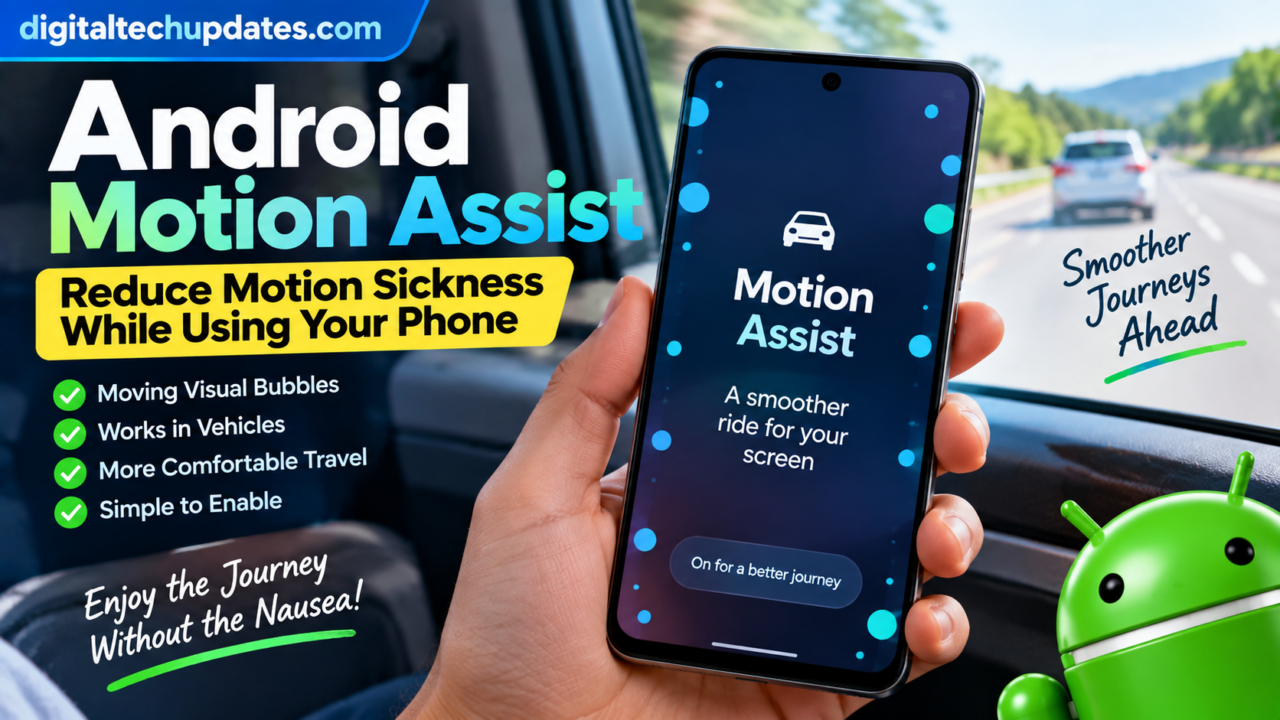
The feature works in a simple but interesting way. It places small visual bubbles around the edges of the phone’s screen and moves them according to the motion of the vehicle. The goal is to help synchronize what your eyes see with what your body feels while the vehicle is turning, accelerating or braking.
Motion Assist is part of Google’s September 2026 Android Drop and is designed specifically for people using their phones while riding as passengers in vehicles.
Here’s how Android Motion Assist works, how to turn it on, supported requirements and what you should know before using it.
What Is Android Motion Assist?
Android Motion Assist is a new feature designed to help reduce motion sickness when you use your Android phone while travelling in a moving vehicle.
When Motion Assist is enabled, small bubbles or visual shapes appear around the edges of your screen.
These shapes move in real time based on your phone’s motion sensors.
For example, when the vehicle:
- Turns
- Speeds up
- Slows down
- Brakes
the visual elements on the screen move accordingly.
The idea is to reduce the mismatch between what your eyes see on the phone and what your body feels as the vehicle moves.
Google describes the feature as a way to make reading, browsing and watching content more comfortable during a ride.
How Does Motion Assist Work?
Motion sickness can occur when the signals your eyes receive don’t match the movement detected by your body.
For example, while sitting in a moving car, your eyes may be focused on a stationary phone screen while your body is simultaneously experiencing acceleration, braking and turns.
Motion Assist adds moving visual cues to the screen.
The bubbles are designed to move in sync with the vehicle’s movement, giving your visual system another indication that your surroundings are moving.
Google says Motion Assist uses the phone’s motion sensors to determine movement and adjust the visual bubbles in real time.
A Simple Example
Imagine you’re sitting in the passenger seat and reading an article on your phone.
The car turns left.
Instead of only seeing a completely stationary screen, Motion Assist displays visual elements that respond to the movement.
The feature is designed to help your brain better synchronize what your eyes see with what your body feels.
How to Turn On Motion Assist on Android
Google’s current Android Help documentation provides the following setup process.
Step 1: Open Settings
Open the Settings app on your Android phone.
Step 2: Find Motion Assist
Tap your profile and then select:
All services → Personal & device safety → Motion assist
You can also use the Settings search bar and type Motion assist to find it more quickly.
Step 3: Enable Motion Assist
Inside Motion Assist settings, you can choose how you want the feature to operate.
Google provides both automatic and manual controls.
Automatically Start Motion Assist in a Moving Vehicle
One of the most convenient options is automatic activation.
When enabled, Motion Assist can automatically display the visual bubbles when your phone detects that you’re in a moving vehicle.
To enable this:
- Open Settings.
- Search for Motion assist.
- Open Motion Assist.
- Turn on Start in a moving vehicle.
Google notes that your phone may not always correctly detect when you’re inside a moving vehicle, so Google recommends also adding the Motion Assist Quick Settings tile for easier manual access.
Add Motion Assist to Quick Settings
You can also control Motion Assist manually using Android’s Quick Settings panel.
From the Motion Assist settings page:
- Tap Add tile to Quick Settings.
- Choose the preferred tile format.
- Open Quick Settings whenever you need Motion Assist.
- Tap the Motion Assist tile to turn the feature on or off.
Google provides both Small tile and Large tile options.
This can be useful if automatic detection doesn’t activate when you expect it to.
Can You Customize Motion Assist?
Yes.
Google allows users to customize the appearance of the Motion Assist visual bubbles.
Depending on the available options, you can adjust:
- Opacity
- Color theme
- Shape
- Randomization
The available color themes include options such as red, yellow, green and blue. You can also choose different bubble shapes and change whether their appearance is randomized.
Why Customization Matters
Some users may prefer subtle visual elements that don’t distract them while reading.
Others may find larger or more visible bubbles easier to notice.
The customization options allow users to adjust the appearance according to their preference.
Does Motion Assist Actually Stop Motion Sickness?
Google describes Motion Assist as a feature that can help reduce motion sickness, rather than guaranteeing that it will eliminate symptoms.
The results can vary between people.
Google’s Android community documentation specifically warns that Motion Assist may not work for everyone, and a small percentage of users may experience worsened symptoms. Users are advised to stop using it if they feel discomfort.
Therefore, Motion Assist should be viewed as a comfort feature rather than a guaranteed treatment for motion sickness.
Is Motion Assist a Medical Treatment?
No.
Motion Assist is a smartphone feature intended to make phone use more comfortable for passengers experiencing motion sickness.
It should not be considered a medical treatment or a replacement for medical advice.
If you frequently experience severe motion sickness or other symptoms during travel, it may be appropriate to discuss the problem with a healthcare professional.
Can You Use Motion Assist While Driving?
No.
Motion Assist is intended for people using their phones as passengers.
Google specifically warns that Motion Assist should not be used while operating a moving vehicle or in situations where your full attention is required for safety.
If you’re driving, don’t use your phone.
The feature is designed for passengers who want to read, browse or watch content during a journey.
What Android Version Is Required?
This is an important requirement.
Google’s current Android Help documentation says Motion Assist requires:
- An Android device running Android 17 or higher
- Updated Google Play services
Google’s September 2026 Android Drop also lists Motion Assist as a feature for phones using Android 17.
This means users on older Android versions should not assume that the feature will be available simply because they have an Android phone.
Is Motion Assist Available Worldwide?
Google’s Android community announcement lists Motion Assist availability as global and says it supports all languages, subject to the Android 17 requirement.
However, actual availability can still depend on device compatibility and the required Google system software.
Google’s current documentation also notes that Google Play services updates can introduce new phone features, including Motion Assist.
Why Can’t I Find Motion Assist on My Android Phone?
If you don’t see Motion Assist, check the following.
1. Check Your Android Version
Go to your phone’s Settings and check the Android version.
The current requirement is Android 17 or higher.
2. Update Google Play Services
Google says Motion Assist requires updated Google Play services.
Check for available system or Google Play system updates on your device.
3. Search Settings
Open Settings and search for:
Motion assist
If your device supports the feature, this may be the quickest way to find it.
4. Check Device Compatibility
Even when a feature is part of a major Android release, individual devices can differ in software configuration and rollout timing.
If Motion Assist isn’t available after updating, your particular device may not support it yet.
What Happens When Motion Assist Turns On Automatically?
When automatic activation is enabled, Android can detect motion associated with travelling in a vehicle and display the visual bubbles.
Google says users receive a silent notification when Motion Assist turns on automatically. You can tap that notification to turn Motion Assist off for the current session.
This gives you a quick way to disable the feature if you don’t want the visual effect during a particular journey.
Motion Assist vs Normal Phone Use
| Feature | Normal Phone Use | Motion Assist |
|---|---|---|
| Static screen | Yes | No |
| Visual motion cues | No | Yes |
| Uses phone motion sensors | Not for this purpose | Yes |
| Designed for passengers | Not specifically | Yes |
| Automatic activation | No | Available |
| Custom visual bubbles | No | Yes |
| Android 17 requirement | No | Yes |
Motion Assist doesn’t change what you’re reading or watching.
Instead, it adds visual motion cues around the edges of the screen.
When Could Motion Assist Be Useful?
Motion Assist is particularly relevant when you’re a passenger and want to use your phone during travel.
For example, you could use it while:
- Riding in a car
- Travelling on a road trip
- Sitting in the back seat
- Reading an article
- Browsing the web
- Watching videos
- Checking messages
Google specifically positions the feature around using a phone while riding in a vehicle.
What If Motion Assist Makes Me Feel Worse?
Stop using it.
Google’s current information says Motion Assist may not work for all users and that a small percentage of people may experience worsened symptoms.
If you feel uncomfortable after turning it on, disable Motion Assist and avoid using your phone during the journey if necessary.
How to Turn Motion Assist Off
You have several ways to disable the feature.
From Quick Settings
Swipe down to open Quick Settings and tap the Motion Assist tile.
From Settings
Go to:
Settings → All services → Personal & device safety → Motion assist
Then change the relevant Motion Assist settings.
From the Automatic Notification
If Motion Assist automatically starts, Google says you can use the silent notification to turn it off for that session.
Why Google Added Motion Assist to Android
Motion Assist is part of a broader direction in Android toward making smartphones more adaptable to different real-world situations.
Instead of simply displaying information on a screen, the phone can use its sensors to understand aspects of the environment and adjust the user experience.
The September 2026 Android Drop introduced several features alongside Motion Assist, including remembered items in Find Hub and Guided vision in Gemini Live.
Motion Assist is specifically focused on making phone use more comfortable during vehicle travel.
Frequently Asked Questions
What is Android Motion Assist?
Android Motion Assist is a feature that displays moving visual bubbles around the edges of the screen to help reduce motion sickness when using a phone as a passenger in a moving vehicle.
How does Motion Assist work?
It uses the phone’s motion sensors to move visual bubbles in response to vehicle movement, such as turns, acceleration and braking.
Which Android version supports Motion Assist?
Google’s current documentation says Motion Assist requires Android 17 or higher and updated Google Play services.
Can Motion Assist completely prevent motion sickness?
No. Google describes it as a feature that can help reduce motion sickness, and results vary between users. Some people may experience no benefit or may feel worse.
Can I use Motion Assist while driving?
No. Motion Assist is intended for passengers and should not be used while operating a vehicle.
Can I customize Motion Assist?
Yes. Google allows users to customize aspects such as bubble opacity, color theme, shape and randomization.
Can Motion Assist turn on automatically?
Yes. You can enable automatic activation when your phone detects that you’re in a moving vehicle. Google also recommends adding the Motion Assist Quick Settings tile because vehicle detection may not always work.
Why don’t I have Motion Assist?
Check that your phone runs Android 17 or later and that Google Play services is updated. If the feature still doesn’t appear, your device may not yet support it.
Final Takeaway
Android Motion Assist is one of Google’s newer features designed around a very specific everyday problem: feeling uncomfortable while using your phone during a car journey.
Instead of changing the content on your screen, Motion Assist adds subtle visual bubbles that move with the vehicle. Google says these visual cues are intended to help your eyes and body better synchronize during movement.
The feature requires Android 17 or higher and updated Google Play services. Users can enable automatic activation, add Motion Assist to Quick Settings and customize the appearance of the bubbles.
However, it isn’t guaranteed to work for everyone. If it makes you feel uncomfortable, Google recommends stopping its use. And, importantly, Motion Assist is intended for passengers — not drivers.
Official Sources
- Google Android Help — Motion Assist
- Google Android — September 2026 Android Drop
- Android Community — September 2026 Android Drop
- Google System Services release notes — September 2026
Thalla Lokesh
Thalla Lokesh is a Digital Marketing Strategist and SEO Specialist with over 12 years of experience in helping businesses grow their online presence. Since beginning his career in 2013, he has successfully worked across industries including healthcare, education, technology, and e-commerce. He specializes in search engine optimization (SEO), content marketing, keyword strategy, and link building, with a strong focus on delivering measurable results. Lokesh has helped brands achieve top rankings on Google through data-driven strategies, high-quality content, and ethical SEO practices aligned with search engine guidelines. As the founder of Honey Web Solutions , a Tirupati-based digital marketing company, he actively works with clients to improve organic traffic, lead generation, and online visibility. He also contributes expert insights on digital marketing trends, AI SEO, and content strategies through blogs and industry platforms.