Microsoft Certifications: Complete Guide for Beginners and Professionals in 2026

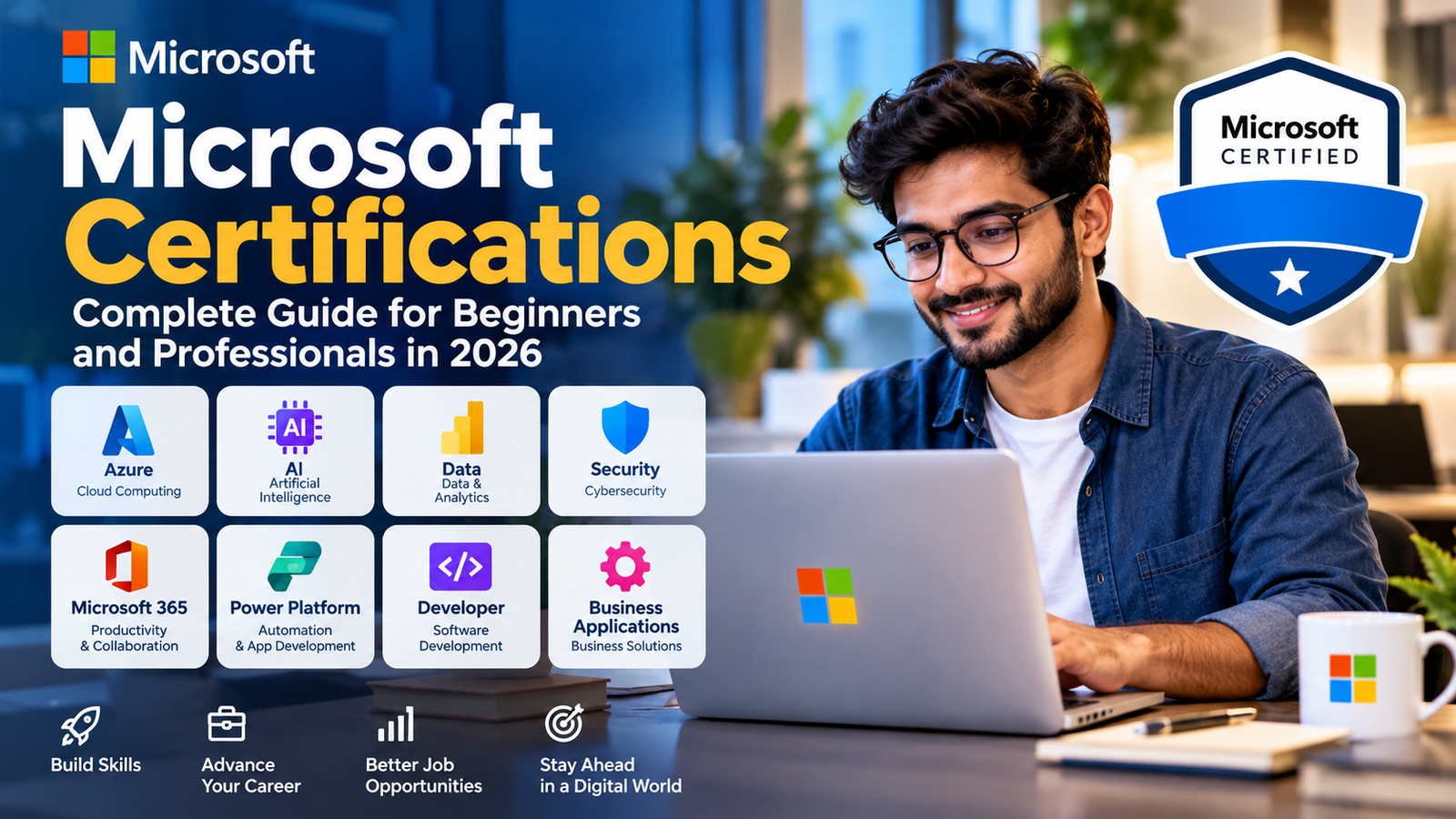
If you are looking to build a career in cloud computing, artificial intelligence, data, cybersecurity, software development, or Microsoft 365, Microsoft Certifications can be a useful way to validate your technical knowledge.
But there is one problem: Microsoft has a large and constantly changing certification catalog. New certifications are being introduced, while some older ones are being retired or replaced.
So, which Microsoft certification should you choose? Do you need experience? How much does a Microsoft certification cost? And which certification is suitable if you are just starting?
This guide explains Microsoft Certifications, the different certification levels, popular career paths, preparation methods, costs, and how to choose the right certification for your goals.
What Are Microsoft Certifications?
Microsoft Certifications are professional credentials designed to demonstrate your knowledge and skills with Microsoft technologies.
They cover areas such as:
- Azure and cloud computing
- Artificial intelligence
- Data and analytics
- Cybersecurity
- Microsoft 365
- Power Platform
- Software development
- Database technologies
- Business applications
- DevOps
Microsoft organizes its certification offerings around different skill levels and job roles. The current catalog includes Fundamentals, role-based certifications, and Specialty certifications.
A certification is more than simply completing an online course. Depending on the credential, you may need to pass one or more official Microsoft exams.
Why Should You Consider a Microsoft Certification?
A certification cannot guarantee a job or a salary increase, but it can provide a structured way to learn and demonstrate knowledge.
Some potential benefits include:
1. Validate Your Technical Skills
A Microsoft certification gives you a recognized way to demonstrate knowledge in a particular Microsoft technology or job role.
2. Build a Structured Learning Path
Instead of randomly studying Azure, AI, security, or data technologies, a certification gives you a defined set of topics to learn.
3. Support Career Development
Certifications can complement practical experience, projects, portfolios, and other qualifications when you are looking for new opportunities.
4. Learn Technologies Used in Real Jobs
Many Microsoft certifications are aligned with specific technology roles, such as administrators, developers, data professionals, security professionals, and AI engineers.
5. Help Beginners Choose a Direction
Fundamentals certifications can be particularly useful if you are trying to understand a technology before moving into more advanced learning.
Microsoft specifically describes its Fundamentals certifications as suitable for technical professionals, students, and business professionals who want foundational knowledge.
Microsoft Certifications List
Microsoft’s certification catalog changes regularly, so it is better to think about certifications by career area rather than relying on an old static list.
Here are some examples from Microsoft’s current catalog:
| Career Area | Example Microsoft Certification | Suitable For |
|---|---|---|
| Cloud | Azure Fundamentals | Beginners learning Azure |
| Cloud Administration | Azure Administrator Associate | Azure administrators |
| AI | Azure AI Fundamentals | Beginners exploring AI |
| AI Development | Azure AI Apps and Agents Developer Associate | AI/application developers |
| AI & Development | Azure AI Cloud Developer Associate | Developers working with Azure AI |
| Data | Azure Data Fundamentals | Beginners learning data concepts |
| Data Engineering | Azure Databricks Data Engineer Associate | Data professionals |
| Networking | Azure Network Engineer Associate | Network professionals |
| Security | Cloud and AI Security Engineer Associate | Security professionals |
| Architecture | Azure Solutions Architect Expert | Advanced Azure professionals |
| DevOps | DevOps Engineer Expert | DevOps professionals |
| Database | Azure Database Administrator Associate | Database administrators |
These are examples from Microsoft’s current credential catalog, not a permanent list. Microsoft regularly updates certifications and introduces replacement credentials.
Microsoft Certification Levels
Microsoft certifications can broadly be understood through different levels.
Fundamentals
Fundamentals certifications are designed to establish foundational knowledge.
They can be suitable for:
- Students
- Beginners
- Business professionals
- People changing careers
- IT professionals exploring a new technology
For example, Azure Fundamentals focuses on cloud concepts, core Azure services, and Azure management and governance.
Associate
Associate certifications generally focus on skills associated with a specific job role.
Examples include roles related to:
- Azure administration
- Data
- AI
- Security
- Networking
- Development
They are generally more specialized than Fundamentals certifications.
Expert
Expert certifications are designed for more advanced roles and deeper technical responsibilities.
For example, Microsoft currently lists Azure Solutions Architect Expert and DevOps Engineer Expert among its advanced credentials.
Some expert certifications also have additional certification requirements, so always check the official certification page before planning your exam path.
Specialty
Specialty certifications focus on specific technologies or specialized scenarios.
For example, Microsoft’s current catalog includes credentials such as Azure Cosmos DB Developer Specialty and Azure Virtual Desktop Specialty.
Best Microsoft Certifications for Beginners
There isn’t one Microsoft certification that is best for every beginner.
Your ideal starting point depends on what you want to do.
If You Want to Learn Cloud Computing
Azure Fundamentals is a logical starting point.
It introduces cloud concepts and core Azure services and is positioned by Microsoft as a common starting point for an Azure career.
If You Want to Explore Artificial Intelligence
Azure AI Fundamentals can be a useful starting point for learning AI concepts related to Azure.
The current AI-901 exam covers areas including AI concepts and implementing AI solutions using Microsoft Foundry.
If You Want to Learn Data
Azure Data Fundamentals is designed for foundational data knowledge and can help beginners understand important data concepts before moving toward more specialized roles.
If You Work With Business Technology
Microsoft also offers Fundamentals credentials covering areas such as Microsoft 365 and Power Platform. Microsoft’s Fundamentals catalog describes these as options for early-career technology and business professionals as well as students.
Microsoft Certifications for Students
Students don’t necessarily need to wait until they have professional experience before exploring Microsoft certifications.
Microsoft’s Student Hub specifically highlights certifications across AI, cloud, security, and business roles.
A student could start with a Fundamentals certification and then decide whether to move into:
- Cloud computing
- AI
- Data
- Cybersecurity
- Software development
- Microsoft 365
- Business applications
The important thing is not to collect certifications randomly.
Choose a certification that supports the career direction you are interested in.
Can You Get a Microsoft Certification Without Experience?
In many cases, yes.
Fundamentals certifications are specifically designed to provide foundational knowledge and can be appropriate for beginners.
However, the amount of experience or technical knowledge recommended varies significantly between certifications.
For example, Azure Fundamentals is categorized as a beginner certification, while many Associate and Expert certifications are designed around specific professional roles.
So don’t assume that every Microsoft certification is suitable for someone with no technical background.
A better approach is:
Beginner → Fundamentals → Hands-on practice → Associate → Advanced certification
You don’t necessarily need to follow this exact sequence, but it is a useful framework for planning your learning.
How Much Do Microsoft Certifications Cost?
Microsoft certification exam prices can vary depending on:
- The certification
- Your country or region
- Applicable taxes
- Promotional offers
- Eligibility for certain discounts or programs
For example, Microsoft lists the Azure AI Fundamentals exam price based on the country or region where the exam is proctored, and notes that pricing can change.
Because exam prices and policies can change, don’t rely on an old blog post for the final cost.
Before registering, check the current Microsoft certification page and exam provider information.
How Difficult Are Microsoft Certification Exams?
The difficulty depends heavily on the certification.
A Fundamentals exam is obviously different from an Expert-level certification.
Your preparation may need to cover:
- Technical concepts
- Microsoft services
- Configuration
- Troubleshooting
- Architecture
- Security
- Practical scenarios
- Role-specific responsibilities
For example, the current Azure AI Fundamentals AI-901 exam has a passing score of 700, with its skills outline divided between identifying AI concepts and implementing AI solutions using Microsoft Foundry.
The most important thing is to study the official skills measured for your specific exam instead of relying only on generic practice questions.
How to Prepare for a Microsoft Certification
A good preparation strategy doesn’t need to be complicated.
Step 1: Choose Your Certification
Start with your career goal.
Don’t begin by asking:
“Which Microsoft certification is easiest?”
Instead ask:
“Which Microsoft technology do I want to work with?”
That question will lead you toward a much better certification choice.
Step 2: Read the Official Exam Skills
Microsoft publishes study guides describing the skills measured in many exams.
Use the official skills outline as your preparation checklist.
Step 3: Use Microsoft Learn
Microsoft Learn provides self-paced learning resources and certification preparation materials.
This should be one of your first resources because certification objectives can change.
Step 4: Practice Hands-On
Don’t just memorize definitions.
If you are studying Azure, actually work with Azure services where possible.
If you’re studying AI, experiment with AI services.
If you’re learning data, work with datasets and relevant tools.
Hands-on practice makes technical concepts easier to remember.
Step 5: Take Practice Assessments
Practice assessments can help identify weak areas before you take the real exam.
Microsoft provides practice assessment options for several certifications.
Step 6: Review Your Weak Areas
Don’t spend all your time studying topics you already understand.
Use practice results to identify gaps and spend more time there.
Step 7: Schedule the Exam
Once you’re consistently performing well in practice and understand the exam objectives, schedule the certification exam.
Microsoft Learn for Certification Preparation
Microsoft Learn is one of the most useful resources for people preparing for Microsoft certifications.
It provides learning paths, modules, documentation, and certification-specific preparation resources.
Microsoft also recommends training and hands-on experience before taking certification exams.
For example, the current Azure AI Fundamentals certification includes self-paced learning paths covering AI concepts and AI applications and agents on Azure.
Tip: Always check the latest Microsoft Learn page shortly before your exam. Certification objectives can be updated.
Microsoft Certification Exam Format
There isn’t one universal exam format for every Microsoft certification.
Exam details can vary by certification, so check the official exam page for:
- Number and type of questions
- Exam duration
- Passing score
- Available languages
- Skills measured
- Exam delivery options
- Current pricing
- Retirement information
For example, Microsoft’s current AI-901 exam information specifies a passing score of 700 and provides an exam sandbox and practice assessment resources.
This is why copying exam information from an old certification blog can be risky.
Are Microsoft Certifications Worth It?
For the right person, yes.
But a certification should not be viewed as a shortcut to a job.
A strong combination is:
Certification + Practical Skills + Projects + Experience
For example, someone applying for an Azure-related role may be stronger if they can show both a relevant Microsoft certification and practical projects demonstrating what they can actually build or manage.
Certification can validate your learning.
Projects demonstrate that you can apply it.
Experience shows that you can use those skills in real situations.
Together, they can create a much stronger professional profile.
Which Microsoft Certification Should You Choose?
Use this simple guide as a starting point:
| Your Goal | Possible Starting Direction |
|---|---|
| Learn cloud computing | Azure Fundamentals |
| Become an Azure administrator | Azure Fundamentals → Azure Administrator Associate |
| Explore AI | Azure AI Fundamentals |
| Build AI applications | Azure AI Apps and Agents Developer Associate |
| Learn data concepts | Azure Data Fundamentals |
| Work in data engineering | Data-focused Associate certifications |
| Work in networking | Azure Network Engineer Associate |
| Work in cybersecurity | Security-focused certifications |
| Become an Azure architect | Azure Fundamentals → relevant Associate experience → Solutions Architect path |
| Work in DevOps | Relevant Azure/DevOps learning → DevOps Engineer Expert path |
This is a starting guide, not a mandatory sequence. Always check the current Microsoft certification requirements before registering.
Microsoft Certifications and Career Opportunities
Microsoft certifications cover many different career directions.
Depending on your skills and experience, relevant certification paths can support careers such as:
- Azure Administrator
- Cloud Engineer
- AI Engineer
- AI Developer
- Data Engineer
- Database Administrator
- Network Engineer
- Cybersecurity Professional
- DevOps Engineer
- Solutions Architect
- Microsoft 365 Professional
However, certification alone doesn’t make someone qualified for a job.
Employers may also look at:
- Work experience
- Technical projects
- Programming skills
- Problem-solving ability
- Communication
- Portfolio
- Practical cloud experience
- Knowledge of related technologies
Think of certification as one part of your professional profile rather than the entire profile.
An Important Note About Changing Microsoft Certifications
This is especially important if you’re researching Microsoft certifications in 2026.
Microsoft’s certification portfolio is evolving quickly.
For example, Microsoft announced that Azure Developer Associate retired on July 31, 2026, with Azure AI Cloud Developer Associate introduced as its replacement. Azure Security Engineer Associate retired on August 31, 2026, with Cloud and AI Security Engineer Associate introduced as its replacement.
Microsoft has also introduced newer AI-focused credentials, including Azure AI Apps and Agents Developer Associate.
This means an article or video published several years ago may contain certification names or exam codes that are no longer current.
Always verify the certification status, exam code, prerequisites, and exam objectives on Microsoft Learn before booking an exam.
Common Mistakes to Avoid
1. Choosing a Certification Only Because It Is Popular
A popular certification isn’t automatically the right certification for you.
Choose according to your target role.
2. Memorizing Practice Questions
Practice questions are useful for understanding the exam style, but memorizing answers won’t build real technical skills.
3. Ignoring Hands-On Experience
Reading documentation is helpful, but practical experience can make technical concepts much easier to understand.
4. Using Outdated Study Material
This is particularly important with Microsoft certifications because exam objectives and certification offerings can change.
5. Collecting Certifications Without a Career Plan
Five unrelated certifications may be less useful than two certifications that support a clear career direction.
6. Ignoring the Official Exam Skills
The official skills outline should be one of your main preparation references.
Tips to Pass a Microsoft Certification Exam
Here are some practical tips:
- Start with the official Microsoft certification page.
- Download or review the current exam skills outline.
- Follow relevant Microsoft Learn modules.
- Practice the technology rather than only reading about it.
- Keep notes about difficult concepts.
- Use practice assessments to identify weak areas.
- Review incorrect answers carefully.
- Don’t depend entirely on exam dumps.
- Take practice exams under realistic conditions.
- Check the certification page again before your exam in case the objectives have changed.
The goal should be to understand the technology, not simply memorize answers.
Frequently Asked Questions About Microsoft Certifications
What are Microsoft Certifications?
Microsoft Certifications are professional credentials that validate knowledge and skills related to Microsoft technologies and job roles.
Which Microsoft certification is best for beginners?
There is no single best option for everyone. Azure Fundamentals can be a good starting point for someone interested in cloud computing, while Azure AI Fundamentals may suit someone exploring AI.
Can I get a Microsoft certification without experience?
Yes, some Fundamentals certifications are designed for beginners. More advanced certifications may expect deeper technical knowledge and role-specific skills.
Are Microsoft certifications worth it?
They can be valuable when combined with practical skills, projects, and experience. A certification by itself does not guarantee employment.
How much does a Microsoft certification cost?
The price varies by certification and country or region. Microsoft advises candidates to confirm the current price before registering because pricing can change.
How long does it take to prepare?
It depends on your existing knowledge, the certification, and the amount of time you can study. A beginner-level certification may require considerably less preparation than an advanced role-based certification.
Are Microsoft certification exams difficult?
Difficulty varies. Fundamentals exams are generally aimed at foundational knowledge, while Associate, Expert, and Specialty certifications can require more specialized technical knowledge.
Which Microsoft certification is best for getting a job?
There is no universal answer. Choose a certification that aligns with the job role you want and combine it with practical experience and projects.
Can students take Microsoft certification exams?
Yes. Microsoft provides resources specifically for students and describes certifications as a way for students to demonstrate technical skills.
How do I get Microsoft certified?
Choose a certification, review its requirements and skills outline, prepare using Microsoft Learn and other appropriate resources, schedule the required exam, and meet all certification requirements.
Where can I prepare for Microsoft certification exams?
Microsoft Learn is the natural starting point because it provides official learning paths, modules, documentation, and certification preparation resources.
Do Microsoft certifications expire?
Expiration depends on the certification. Microsoft notes that Associate, Expert, and Specialty certifications have renewal requirements, so check the specific certification page for its current renewal policy.
Final Thoughts
Microsoft Certifications can be a smart investment in your skills, but the right certification depends on where you want your career to go.
If you’re completely new to Microsoft technologies, start with a Fundamentals certification that matches your interests. If you already have technical experience, a role-based Associate or Expert certification may make more sense.
Most importantly, don’t study only to pass an exam.
Learn the technology, practice it, build something with it, and then use the certification to demonstrate what you know.
And because Microsoft’s certification catalog continues to evolve, always check the latest information on Microsoft Learn before choosing an exam or purchasing study material.

Thalla Lokesh
Thalla Lokesh is a Digital Marketing Strategist and SEO Specialist with over 12 years of experience in helping businesses grow their online presence. Since beginning his career in 2013, he has successfully worked across industries including healthcare, education, technology, and e-commerce. He specializes in search engine optimization (SEO), content marketing, keyword strategy, and link building, with a strong focus on delivering measurable results. Lokesh has helped brands achieve top rankings on Google through data-driven strategies, high-quality content, and ethical SEO practices aligned with search engine guidelines. As the founder of Honey Web Solutions , a Tirupati-based digital marketing company, he actively works with clients to improve organic traffic, lead generation, and online visibility. He also contributes expert insights on digital marketing trends, AI SEO, and content strategies through blogs and industry platforms.