Chrome 154 Android Update: New Features and HTTPS Security Change

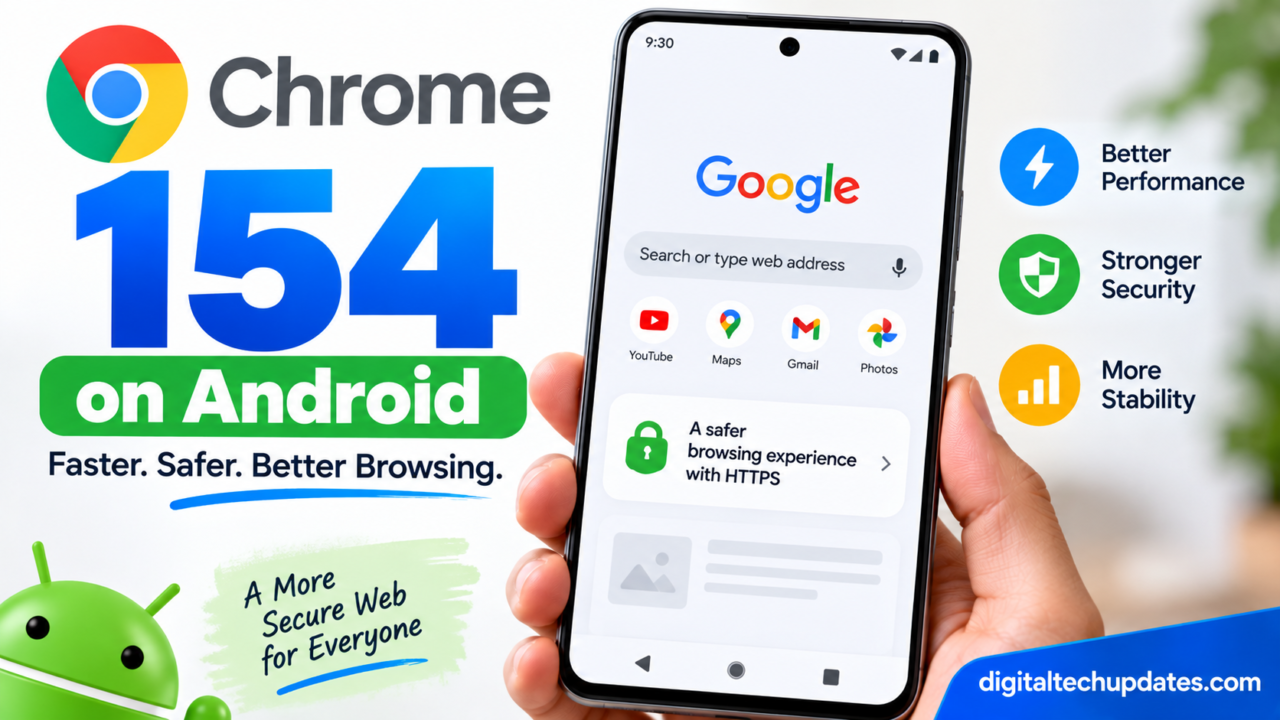
Google has released Chrome 154 for Android, bringing the latest Chrome browser updates to Android phones.
The Android version 154.0.8037.57 was released on September 22, 2026, and Google says it is rolling out through Google Play over the next few days. The release includes stability and performance improvements, along with the security fixes included in the corresponding Chrome release.
But Chrome 154 is also important because Google is moving toward a more secure web experience.
One of the biggest changes coming with this Chrome generation is the move toward HTTPS by default, where Chrome will warn users before they visit public websites that don’t support a secure HTTPS connection. Google announced that the public-sites version of “Always Use Secure Connections” will become the default in Chrome 154 during October 2026.
Here’s everything Android users need to know about the Chrome 154 update.
What Is Chrome 154 for Android?
Chrome 154 is Google’s latest stable Chrome release for Android.
Google released Chrome for Android version 154.0.8037.57 on September 22, 2026. The company says the update will become available through Google Play over the next few days.
Unlike some Android updates that introduce a large collection of user-facing features, Google’s Android release note for Chrome 154 specifically highlights:
- Stability improvements
- Performance improvements
- Security fixes
Google also says Android releases contain the same security fixes as the corresponding desktop releases unless otherwise noted.
This means you shouldn’t expect a completely redesigned Chrome interface simply because your phone moves from Chrome 153 to Chrome 154.
The update is primarily about keeping the browser secure, stable and efficient.
Chrome 154 Android Release Date
Google released Chrome 154 for Android on:
September 22, 2026
The Android version is:
154.0.8037.57
Google says the update will become available on Google Play over the following days, meaning not every Android phone will necessarily receive it at exactly the same time.
If Chrome 154 isn’t showing on your phone yet, that doesn’t necessarily mean something is wrong.
The rollout can take time to reach different users.
How to Update Chrome 154 on Android
You can manually check Google Play for the latest Chrome version.
Step 1: Open Google Play Store
Open the Google Play Store on your Android phone.
Step 2: Search for Chrome
Search for:
Google Chrome
Step 3: Check for an Update
If Chrome 154 is available for your device, you’ll see an Update button.
Tap it and allow the installation to complete.
Step 4: Restart Chrome
After updating, close and reopen Chrome.
This ensures you’re running the newly installed version.
How to Check Your Chrome Version
You can also check the version currently installed on your phone.
Open Chrome and go to:
Settings → About Chrome
You can then check the installed Chrome version.
Look for a version beginning with:
154.0.8037
Google’s current Android release is 154.0.8037.57.
If you’re still running Chrome 153, the Chrome 154 rollout may not have reached your device yet.
What Is New in Chrome 154 on Android?
Google’s official Chrome for Android release announcement describes the Android update as containing stability and performance improvements.
That means some of the most important changes are behind the scenes.
Better Stability
Browser crashes, unexpected behavior and other stability issues can affect the browsing experience.
Chrome updates regularly include fixes intended to make the browser more reliable.
Performance Improvements
Google also lists performance improvements for Chrome 154 on Android.
Performance improvements can affect things such as:
- Page loading
- Browser responsiveness
- JavaScript execution
- Memory handling
- General browsing smoothness
The exact improvements can vary depending on the device and websites being used.
Security Fixes
Chrome 154 also includes the security fixes associated with the corresponding Chrome release. Google says Android releases contain the same security fixes as their desktop counterparts unless otherwise noted.
For users, this is one of the most important reasons to keep Chrome updated.
The Biggest Chrome Security Change to Know About
Although the Android Chrome 154 release itself is described by Google primarily in terms of stability, performance and security improvements, Chrome 154 is also associated with a major web-security change.
Google announced that Chrome will enable “Always Use Secure Connections” in its public-sites variant by default.
The change is designed to warn users before they connect to public websites using insecure HTTP rather than HTTPS.
Google announced the change in October 2025 and said it would take effect with Chrome 154 in October 2026.
What Does “Always Use Secure Connections” Mean?
The web uses two commonly seen protocols:
HTTP
and
HTTPS
HTTPS adds encryption to the connection between your browser and the website.
When Chrome uses the Always Use Secure Connections setting, it attempts to use HTTPS when connecting to websites.
If a public website doesn’t support HTTPS, Chrome can display a warning before allowing the connection to continue.
Google describes this as an effort to make secure connections the default for web browsing.
What Happens When You Visit an HTTP Website?
With the new behavior, Chrome can warn you before connecting to a public site that doesn’t support HTTPS.
Instead of silently proceeding to an insecure HTTP connection, the browser can display a warning explaining that the connection isn’t secure.
The user can then decide whether to continue or return to the previous page.
Google says the purpose is to prevent insecure navigation from becoming an invisible security risk.
Why Is Google Making HTTPS the Default?
Google says most Chrome page loads already use HTTPS.
According to Google’s Chrome Security team, HTTPS adoption has increased substantially over the past decade, reaching very high levels across major platforms. The company says the remaining HTTP traffic is therefore increasingly concentrated in a smaller number of situations.
Google’s security team argues that even a small amount of insecure HTTP navigation can create risks because attackers can potentially interfere with an insecure connection.
The new approach is intended to make those insecure connections more visible to users.
Will Every Website Show an HTTPS Warning?
No.
The change is focused on public websites that don’t support HTTPS.
Google has specifically discussed a public-sites variant of the setting.
Private addresses, such as local network devices and enterprise environments, can behave differently. Google says private sites are excluded from the public-sites warning mode because they have different technical and security considerations.
This distinction is important for businesses, developers and people who access devices on their local network.
What Does This Mean for Android Users?
For everyday Android users, the main change is relatively simple.
If you visit a public website that still uses plain HTTP, Chrome may display a security warning before loading it.
Users should therefore pay attention to Chrome’s security warnings instead of automatically selecting the option to continue.
For websites using HTTPS normally, the browsing experience should remain unchanged.
What Does Chrome 154 Mean for Website Owners?
The HTTPS change is particularly important for website owners.
If your website is still accessible through HTTP without properly redirecting visitors to HTTPS, Chrome’s increasingly strict behavior can create an additional warning for users.
Google strongly recommends that website developers and IT professionals enable the setting themselves to identify websites that may need to be migrated to HTTPS.
For website owners, the basic checklist is:
- Install a valid SSL/TLS certificate.
- Make sure the website loads correctly over HTTPS.
- Redirect HTTP URLs to HTTPS.
- Update internal links to HTTPS.
- Update canonical URLs.
- Update sitemap URLs.
- Check images, scripts and other resources for mixed content.
- Verify HTTP-to-HTTPS redirects.
- Test important pages after migration.
For sites such as digitaltechupdates.com, HTTPS should already be standard.
What Is Mixed Content?
Mixed content occurs when an HTTPS page loads some resources through insecure HTTP connections.
For example, a website may load its main page using:
https://example.com
but request an image using:
http://example.com/image.jpg
Modern browsers increasingly restrict this type of insecure content.
Website owners should therefore check that images, scripts, stylesheets, fonts and other resources are also served securely.
Does Chrome 154 Make the Internet Completely Secure?
No.
HTTPS is an important security layer, but it doesn’t automatically mean that a website is trustworthy.
A website can use HTTPS and still be:
- Fake
- Malicious
- A phishing site
- Poorly maintained
- Hosting misleading information
HTTPS primarily protects the connection between the browser and the website.
Users should still check the website address and avoid entering sensitive information on suspicious websites.
Chrome 154 and Security
Browser security is becoming increasingly important because browsers are one of the main ways people interact with the internet.
Chrome 154 includes security fixes, and Google recommends keeping Chrome updated.
The HTTPS changes also show how Google is trying to move users toward safer web connections.
Rather than relying entirely on users to recognize insecure HTTP connections, Chrome is increasingly making secure connections the default.
What If Chrome 154 Is Not Available on My Phone?
Don’t panic if you don’t see Chrome 154 immediately.
Google says the Android release is rolling out through Google Play over the next few days.
You can:
- Open Google Play Store.
- Search for Google Chrome.
- Check whether an Update button is available.
- If no update is available, check again later.
You can also check your current Chrome version through Chrome’s settings.
Should You Update Chrome on Android?
Keeping Chrome updated is important because browser updates include security, stability and performance improvements.
Chrome 154 for Android includes all three categories according to Google’s official release announcement.
Therefore, users should generally install the update when it becomes available through Google Play.
Chrome 154 vs Chrome 153
| Feature | Chrome 153 | Chrome 154 |
|---|---|---|
| Android release | Previous stable version | 154.0.8037.57 |
| Stability improvements | Yes | Yes |
| Performance improvements | Yes | Yes |
| Security fixes | Yes | Yes |
| HTTPS security direction | Existing protections | Further move toward HTTPS-by-default |
| Release date | September 2026 | September 22, 2026 |
The Android Chrome 154 release is primarily described by Google as a stability, performance and security update rather than a major visual redesign.
Chrome 154 for Developers
Chrome 154 also introduces several web-platform changes.
Google’s Chrome for Developers documentation lists new capabilities including:
- Responsively sized iframes
- New
scroll-marker-groupmodes text-decoration-inset- JavaScript
Iterator.prototype.includes() - WebSocket improvements
- Additional local-network security controls
These changes are more relevant to web developers than ordinary Android users.
Responsively Sized Iframes
Chrome 154 adds support for an iframe to size itself according to the intrinsic size of its embedded document.
This can reduce the need for developers to manually measure embedded content and communicate dimensions with JavaScript.
CSS Improvements
Chrome 154 adds new CSS capabilities including text-decoration-inset and additional modes for scroll-marker-group.
These features give developers more control over website layouts, navigation and text styling.
Is Chrome 154 a Major Android Redesign?
No major redesign is highlighted in Google’s official Android release announcement.
The Android release is described primarily as a stability and performance update with the corresponding security fixes.
This is worth mentioning because some online articles may describe Chrome 154 as if it were a huge Android interface update.
For Android users, the most noticeable benefit may simply be a more stable and secure browser.
What Should Android Users Do Now?
There are a few simple steps you can take.
1. Check for Chrome 154
Open Google Play Store and look for an available Chrome update.
2. Restart Chrome
After installing the update, close and reopen Chrome.
3. Check Your Version
Open Chrome settings and look under About Chrome.
4. Pay Attention to Security Warnings
If Chrome warns you about an insecure website, don’t automatically bypass the warning.
Check the website address first.
5. Keep Android Updated
Chrome is only one part of your phone’s security system.
Install Android and Google system updates when they become available for your device.
Frequently Asked Questions
What is Chrome 154 for Android?
Chrome 154 is Google’s latest stable Chrome release for Android, version 154.0.8037.57, released on September 22, 2026. Google says it includes stability and performance improvements and the corresponding security fixes.
When was Chrome 154 released for Android?
Google released Chrome 154 for Android on September 22, 2026. The update is rolling out through Google Play over the following days.
What is new in Chrome 154 Android?
Google’s official Android release announcement highlights stability and performance improvements and the corresponding security fixes.
Does Chrome 154 improve security?
Yes. Google says the Android release contains the security fixes included in the corresponding Chrome release unless otherwise noted.
What is Always Use Secure Connections?
It is a Chrome security setting that attempts to use HTTPS and warns users before accessing public websites that don’t support secure HTTPS connections.
Will Chrome warn me about HTTP websites?
Chrome is moving toward warning users before visiting public websites that don’t support HTTPS. Google announced that the public-sites variant of Always Use Secure Connections will become the default with Chrome 154 during October 2026.
Do I need to update Chrome manually?
Chrome updates through Google Play. You can manually open the Play Store and check whether an update is available.
Why can’t I see Chrome 154 yet?
Google says Chrome 154 for Android is rolling out over the following days, so availability can vary during the rollout.
Does Chrome 154 work on Android phones?
Yes. Google has released Chrome 154 specifically for Android devices. Availability depends on the device and Google Play rollout.
Is HTTPS safer than HTTP?
HTTPS encrypts the connection between the browser and website and provides protections that plain HTTP does not. However, HTTPS by itself does not guarantee that a website is trustworthy.
Final Takeaway
Chrome 154 for Android is now rolling out, with Google listing stability and performance improvements alongside the corresponding security fixes. The Android build is version 154.0.8037.57 and was released on September 22, 2026.
The more significant change to watch is Google’s move toward HTTPS by default. Chrome is preparing to warn users before they visit public websites that don’t support secure HTTPS connections, with Google announcing the public-sites version of Always Use Secure Connections as the default for Chrome 154 during October 2026.
For Android users, the practical advice is simple: keep Chrome updated, pay attention to security warnings and avoid entering sensitive information on websites that don’t use HTTPS.
For website owners, Chrome’s direction makes HTTPS even more important. A properly configured HTTPS website can help prevent visitors from encountering insecure-connection warnings.
Official Sources
- Google Chrome Releases — Chrome for Android Update
- Chrome for Developers — Chrome 154 Release Notes
- Chrome for Developers — New in Chrome 154
- Google Chrome Security — HTTPS by Default
Thalla Lokesh
Thalla Lokesh is a Digital Marketing Strategist and SEO Specialist with over 12 years of experience in helping businesses grow their online presence. Since beginning his career in 2013, he has successfully worked across industries including healthcare, education, technology, and e-commerce. He specializes in search engine optimization (SEO), content marketing, keyword strategy, and link building, with a strong focus on delivering measurable results. Lokesh has helped brands achieve top rankings on Google through data-driven strategies, high-quality content, and ethical SEO practices aligned with search engine guidelines. As the founder of Honey Web Solutions , a Tirupati-based digital marketing company, he actively works with clients to improve organic traffic, lead generation, and online visibility. He also contributes expert insights on digital marketing trends, AI SEO, and content strategies through blogs and industry platforms.